Every screenshot below is taken from the live demo with its sample data — nothing is drawn or mocked up. Each one says what the screen is for, what you look at on it, and what the buttons do. Open the demo alongside and click through the same pages.
A client's letter comes in, samples are tested, a report goes out, and the bill follows. These are the screens the reception, the analysts and the reporting desk live in.
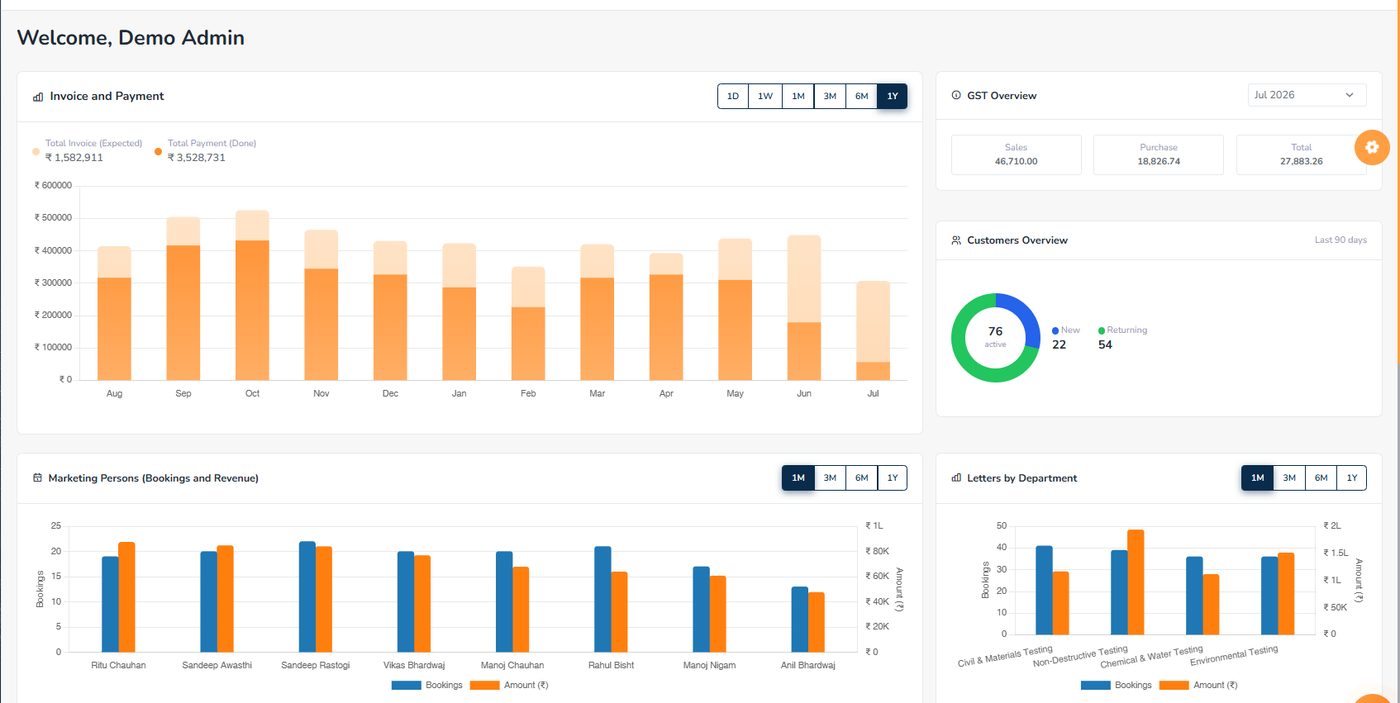
Invoice against payment month by month, the GST position for the month, new and returning clients, and who brought in what — every card with its own time range, so one card can show a year while another shows a week.

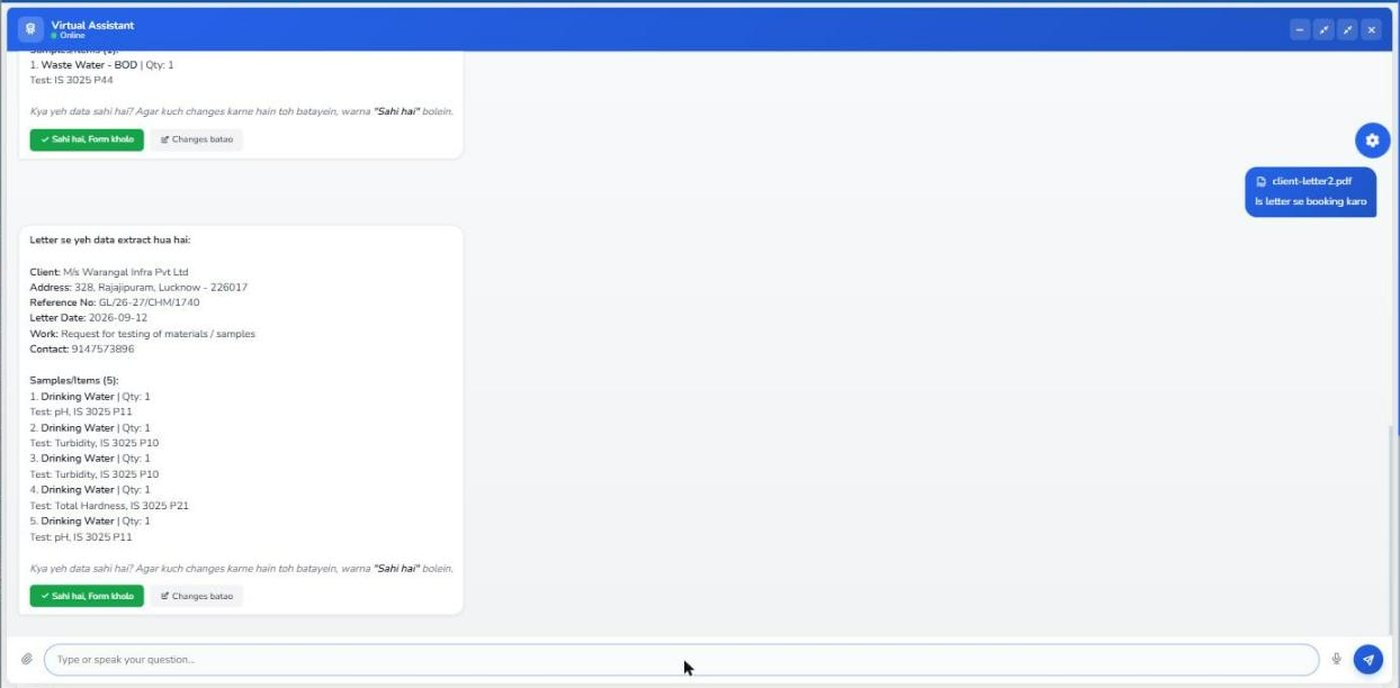
Attach the client's letter — a PDF, a scan or a photograph. The assistant reads the client, the address, the reference number, the letter date and the name of work, then every sample with its quantity and the test asked for, and shows it back to confirm. Confirm, and the booking form opens filled; a Fill Next Sample button puts each sample in its own row.

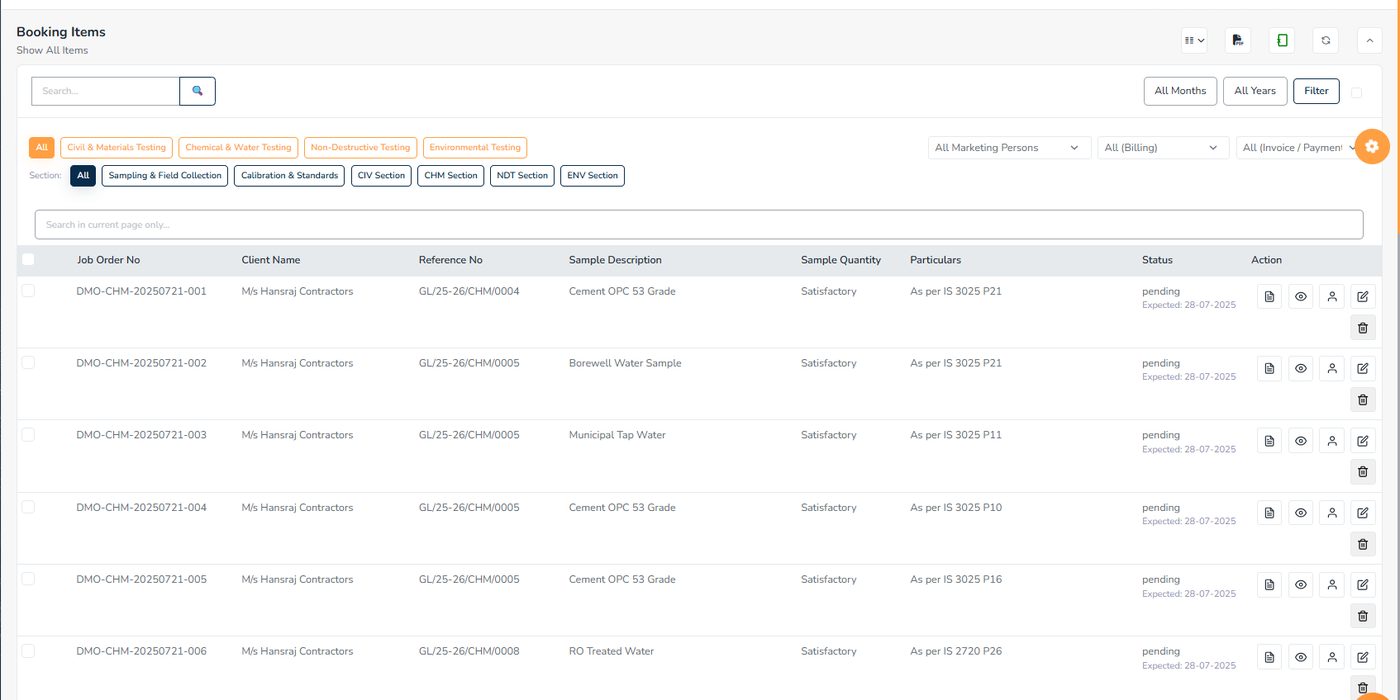
One row per sample. The department buttons above the table and the section row below them narrow the list; the coloured Status column and the Expected date under it are what you scan when chasing work.

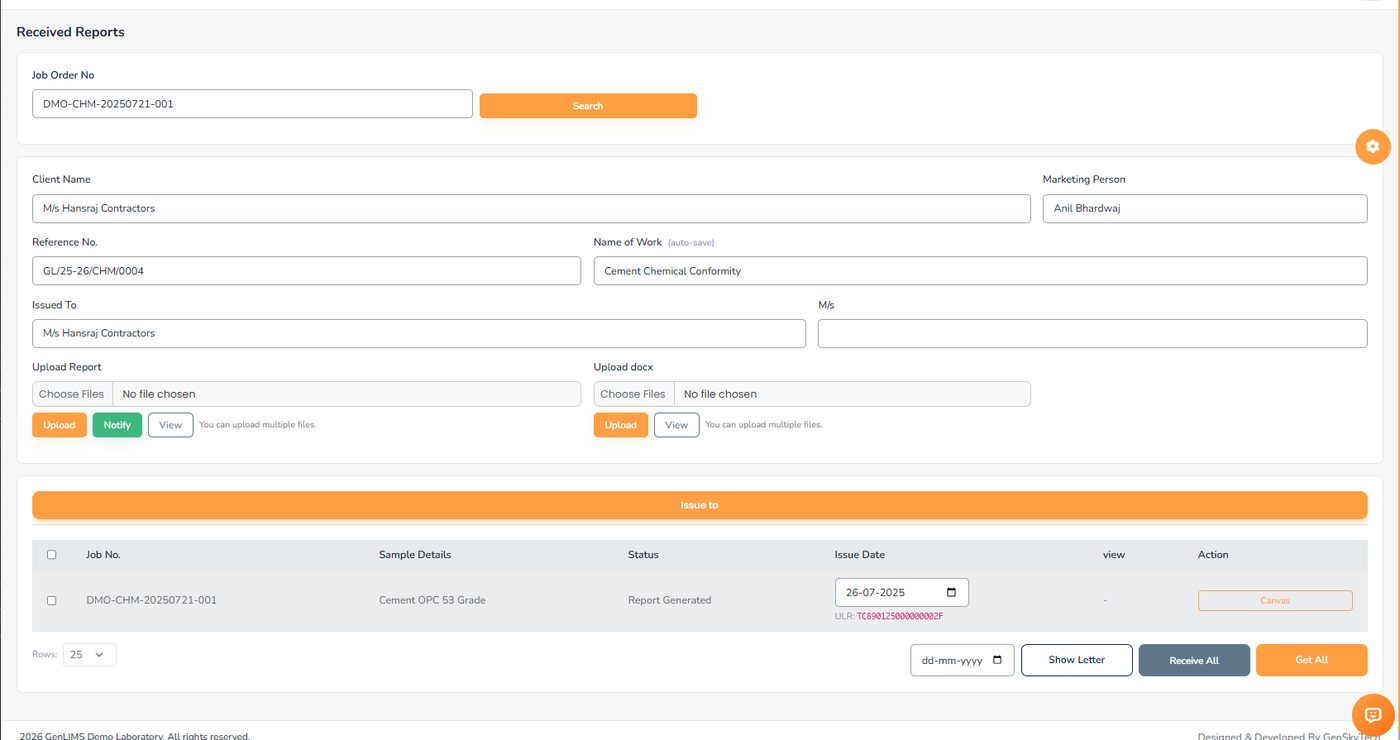
The header fields write straight back to the letter as you type. In the table, a sample with an issue date reads "Report Generated" and shows the ULR number drawn for it. The Canvas button opens the report editor for that row.

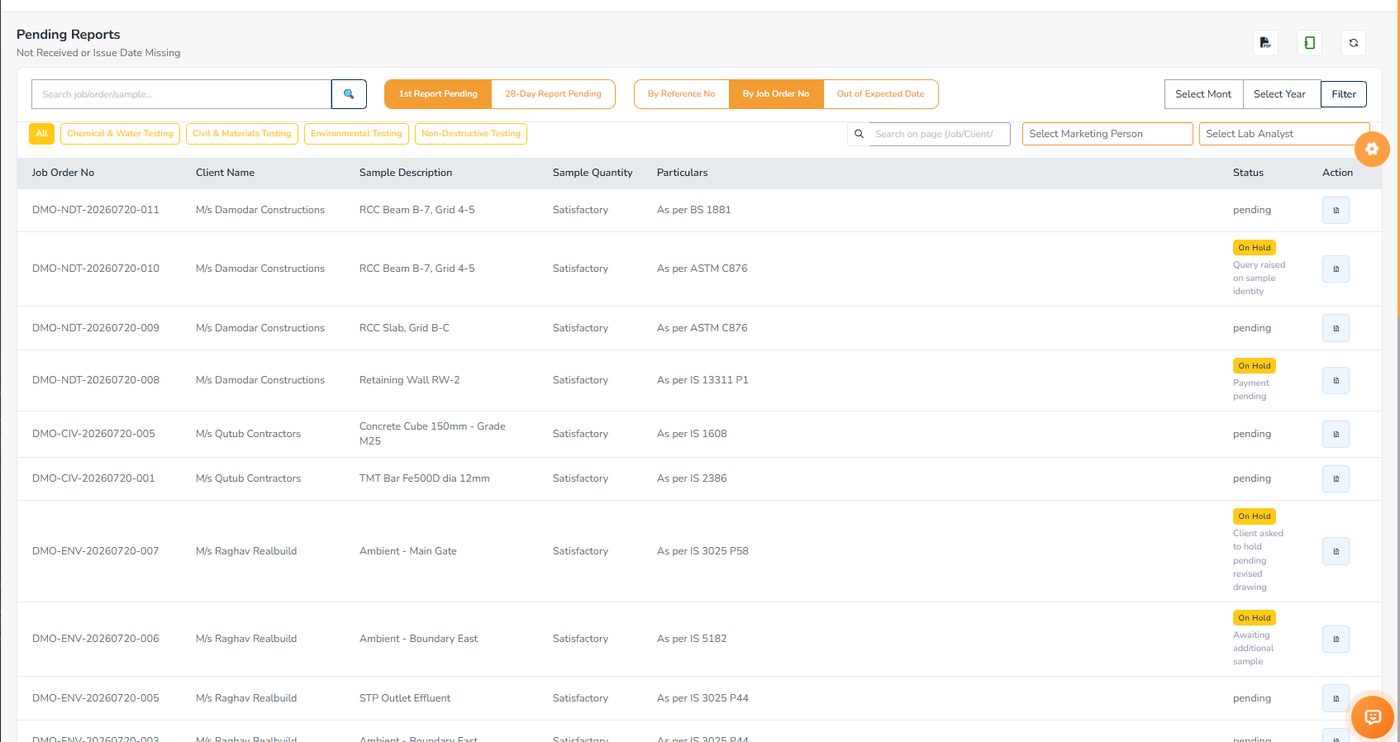
The pending register, by section. Samples on hold stay on the list with an amber badge and the reason underneath — "payment pending", "client asked to hold" — so nobody has to ask. Only cancelled samples drop off.

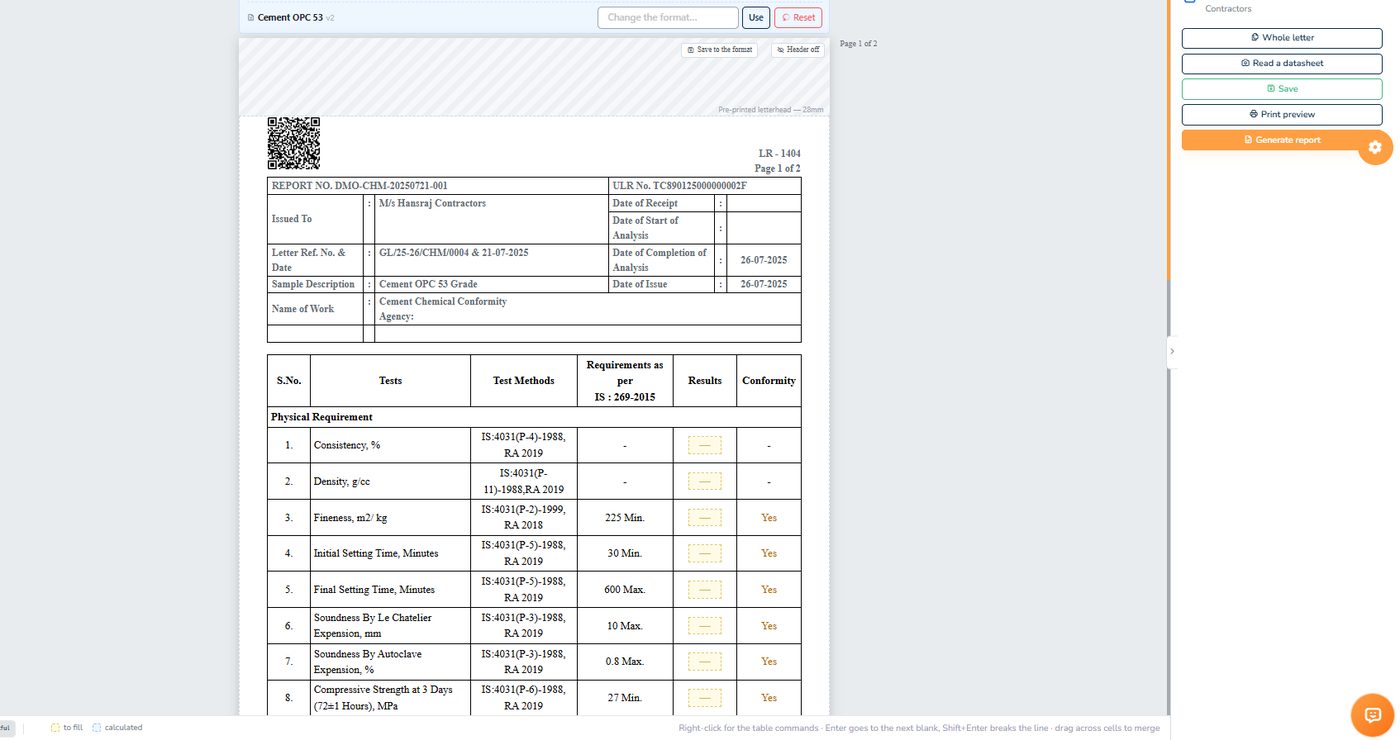
The QR code, the LR number, the report number and the ULR are part of the letterhead. The dashed boxes in the Results column are the blanks you type into; the ribbon on the left is the editing toolbar; Save, Print preview and Generate report sit on the right.

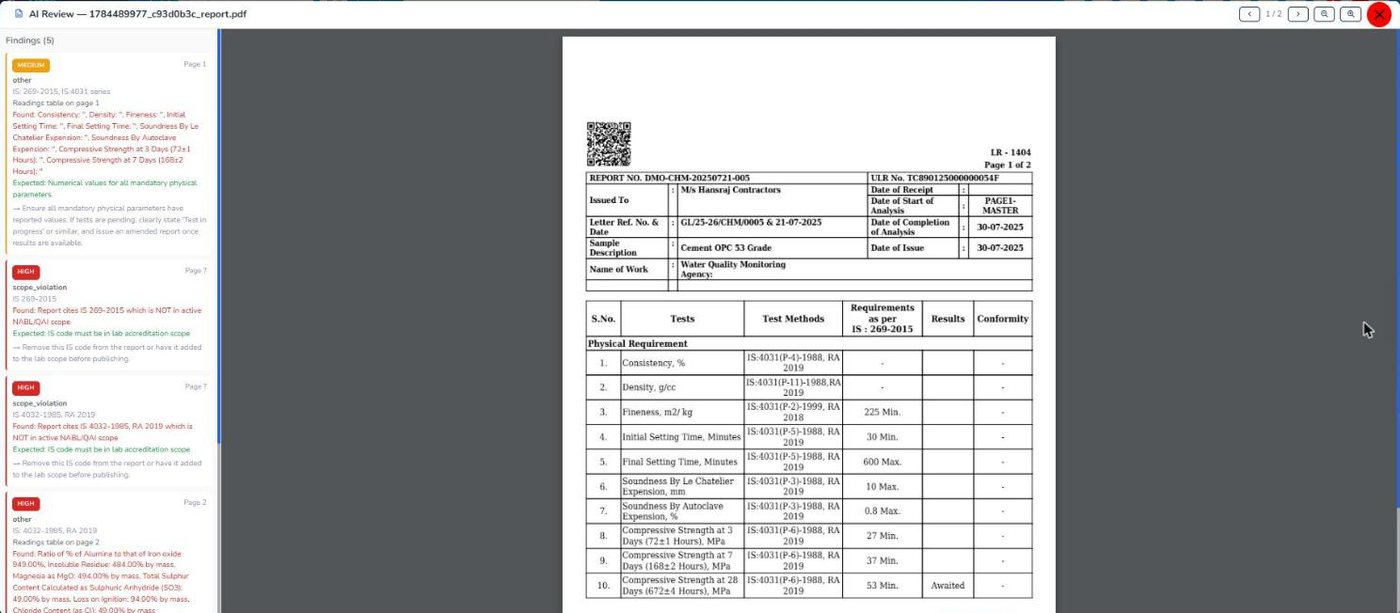
When a report PDF is uploaded, GenLIMS reads it and lists what looks wrong — highest severity first, each with the page, what was expected, what was found and a suggested fix. On this cement report it found readings left blank, a ratio typed as 949.00 against a 0.66 minimum and still marked as conforming, and two IS codes outside the lab's accredited scope.

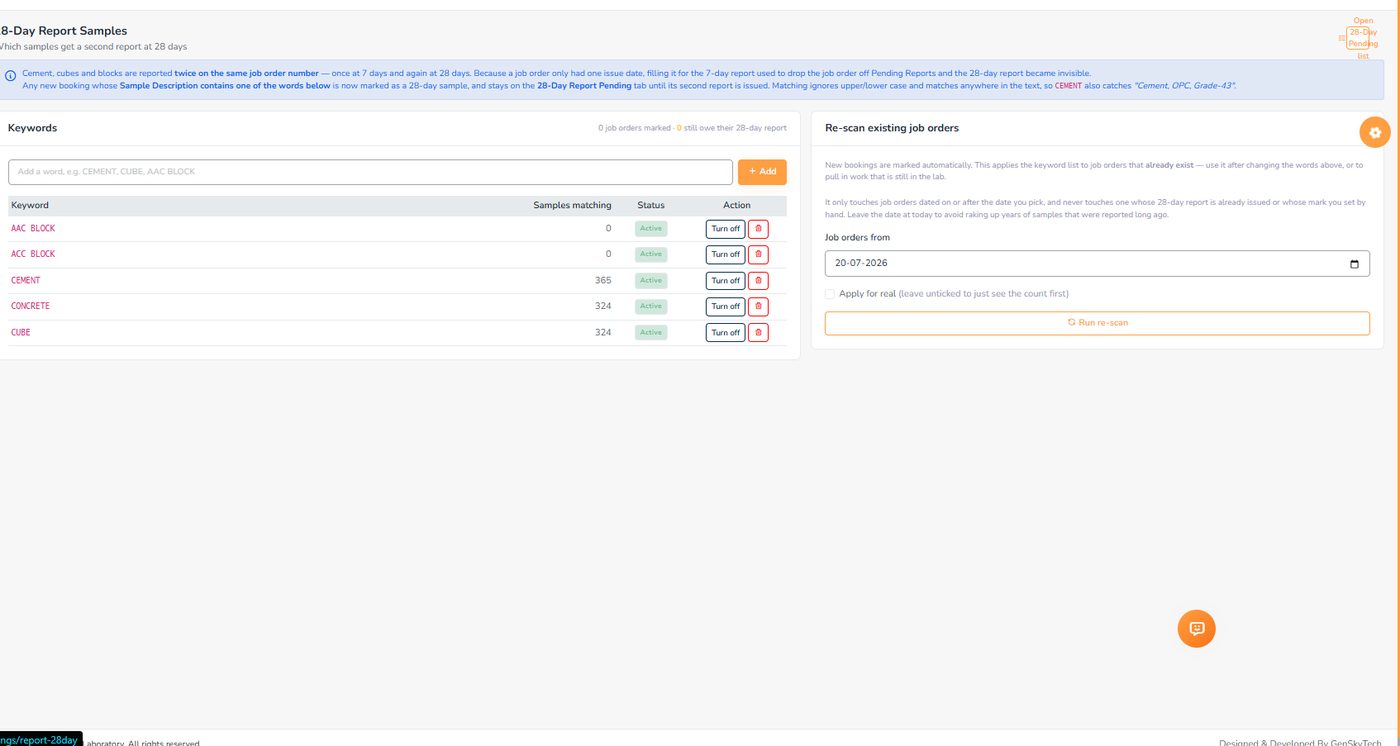
Concrete and cement samples need a 28-day strength report as well as the first one. A keyword list — CEMENT, CONCRETE, CUBE — marks them automatically at booking, with a live count of how many samples each word matches, and a re-scan tool for job orders that already exist.
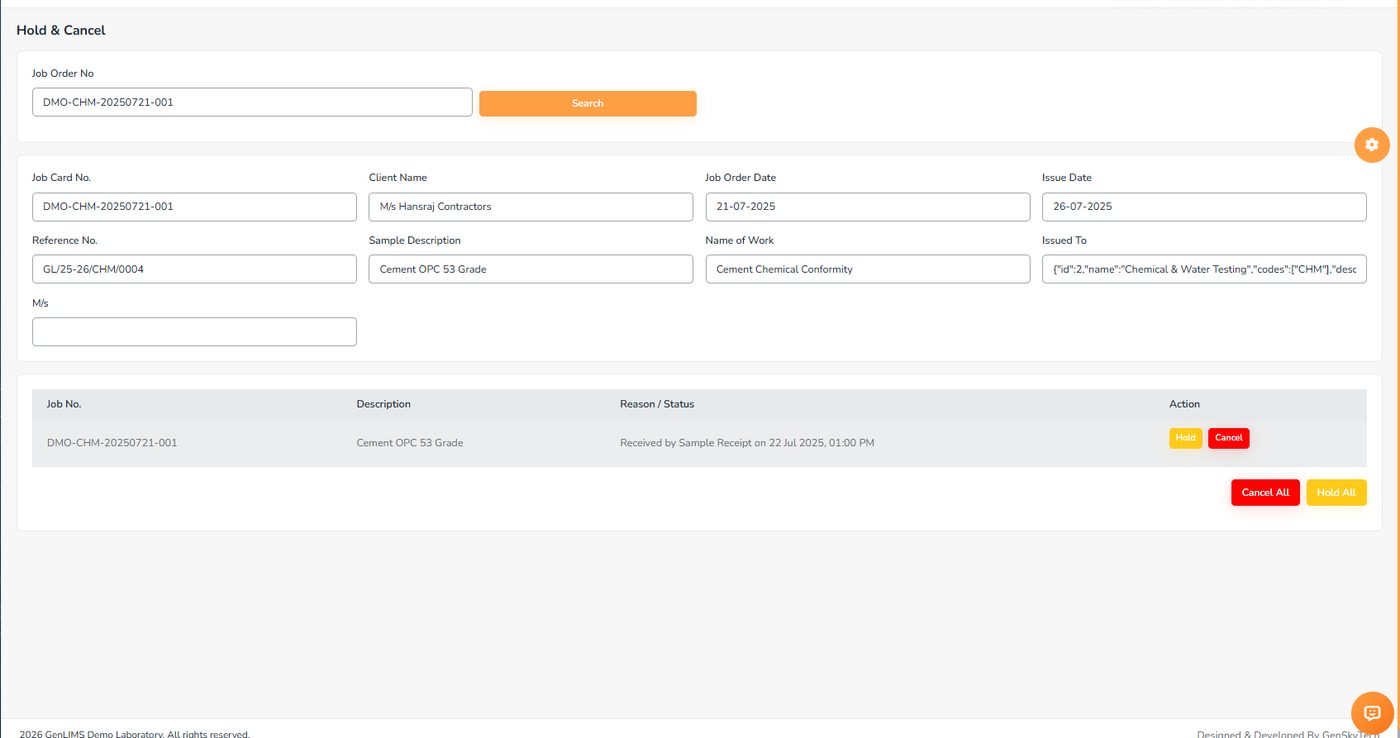
Search one job order; the header shows the letter, and each row shows the sample's current state. Hold and Cancel act on one row; Hold All and Cancel All act on the whole letter. The reason is required and stays with the sample.
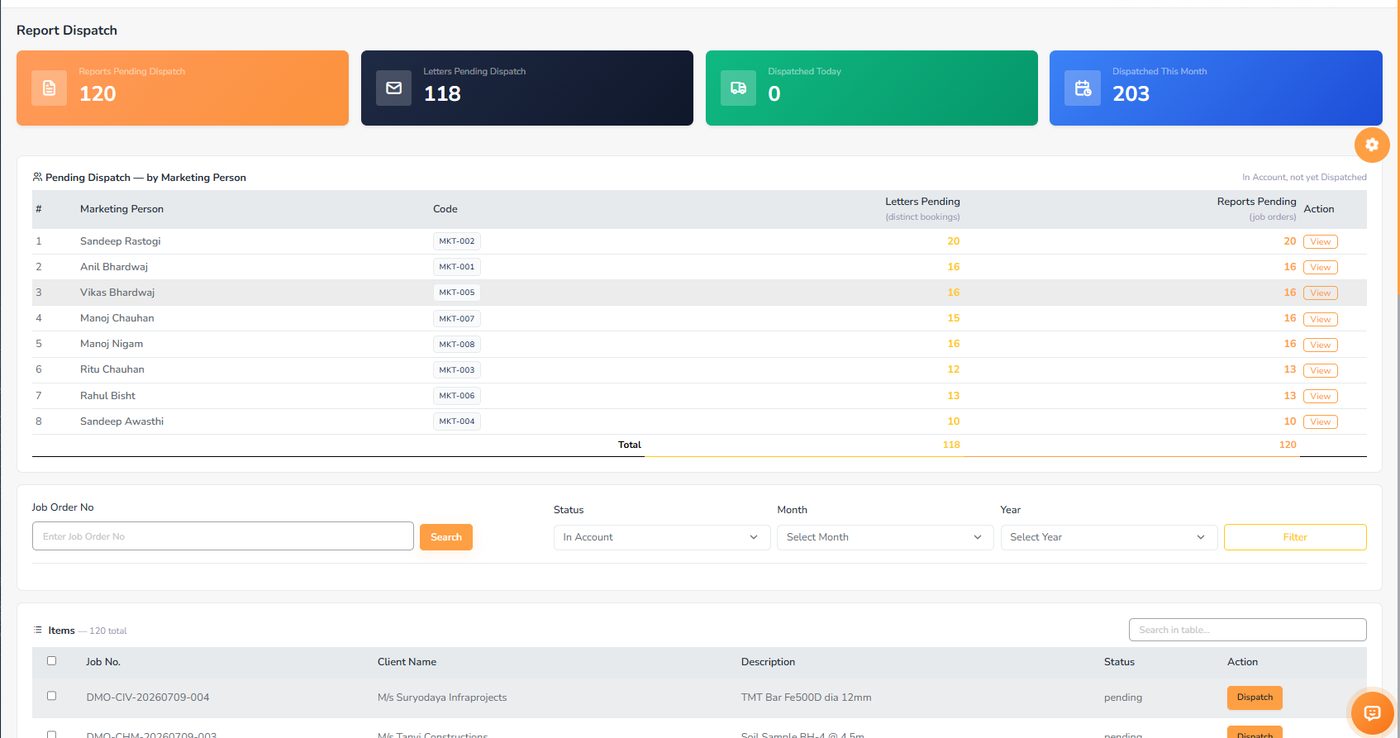
The four counters at the top are the day's backlog. The table under them breaks it down by marketing person, so you can see who is holding the most work. Dispatch is recorded in two stages — handed to the dispatcher, then delivered — with a photograph of the docket.

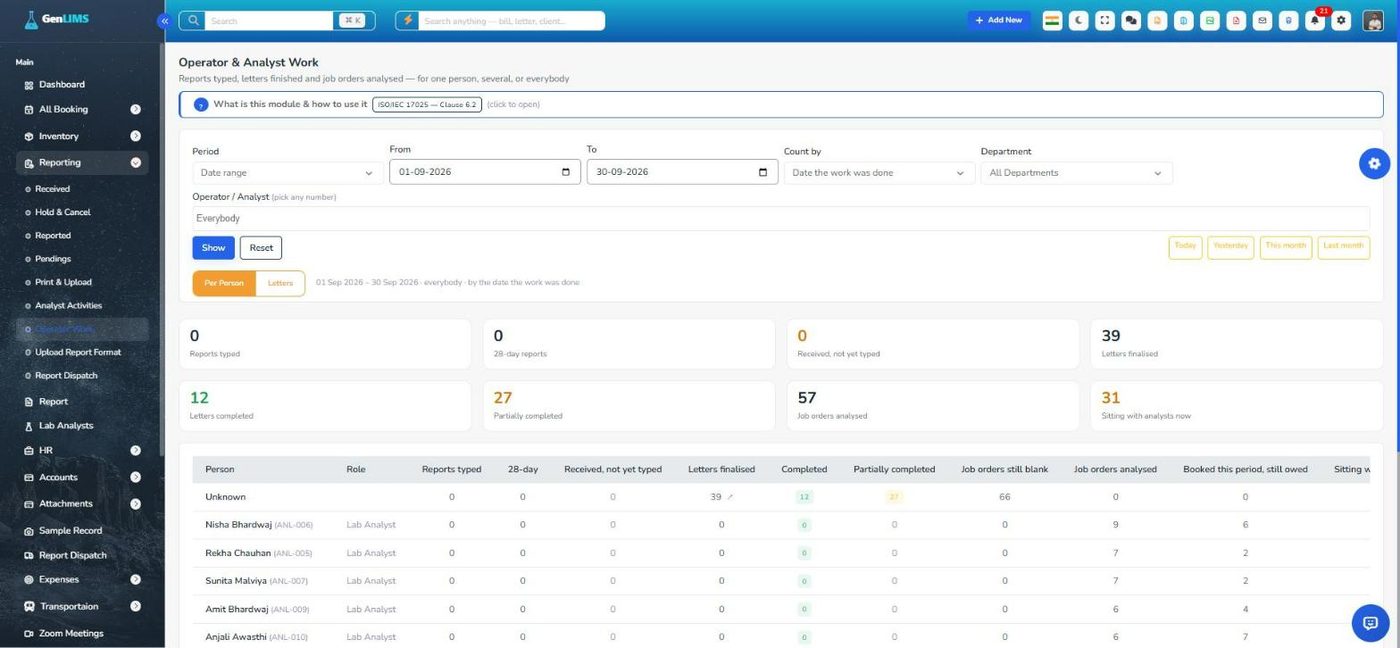
Pick a period, a department and any number of people. The cards count reports typed, 28-day reports, letters finalised and job orders analysed; the table shows the same per person. Count by the date the work was done, or by the date printed on the report.

Every booking knows whether it has been billed and whether it has been paid. The accounts desk works from these screens; the owner reads the ledgers.
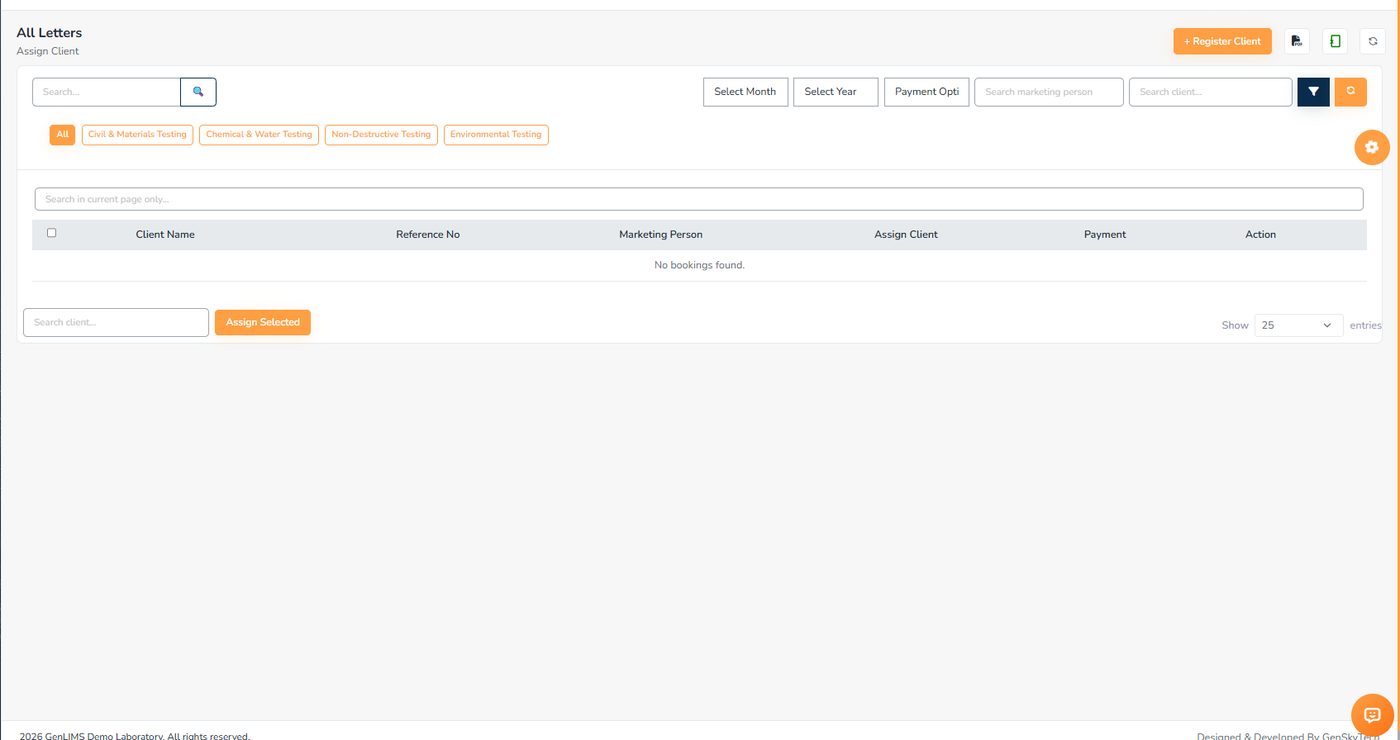
A letter cannot be billed until it belongs to a client. This screen lists the ones still unassigned — and an empty screen is the healthy state. Pick the client in the box at the bottom and assign the selected rows.

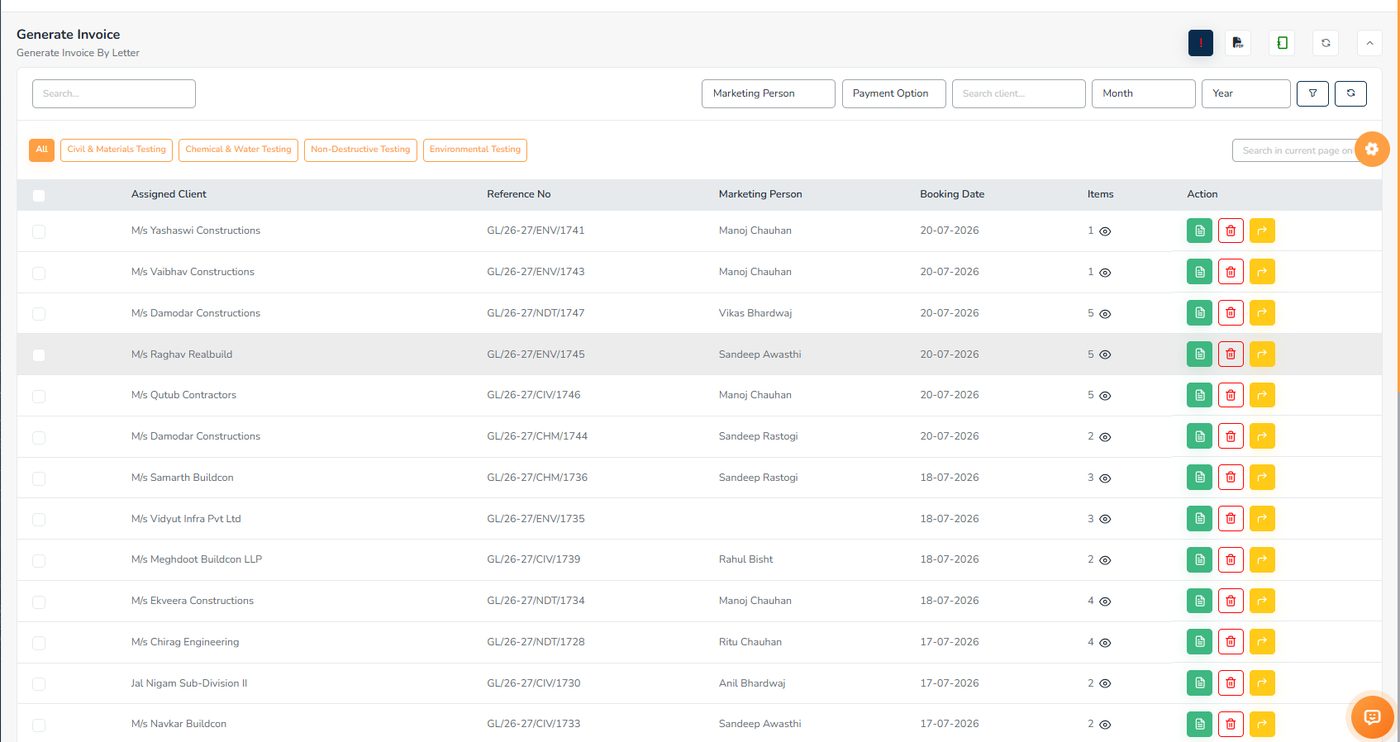
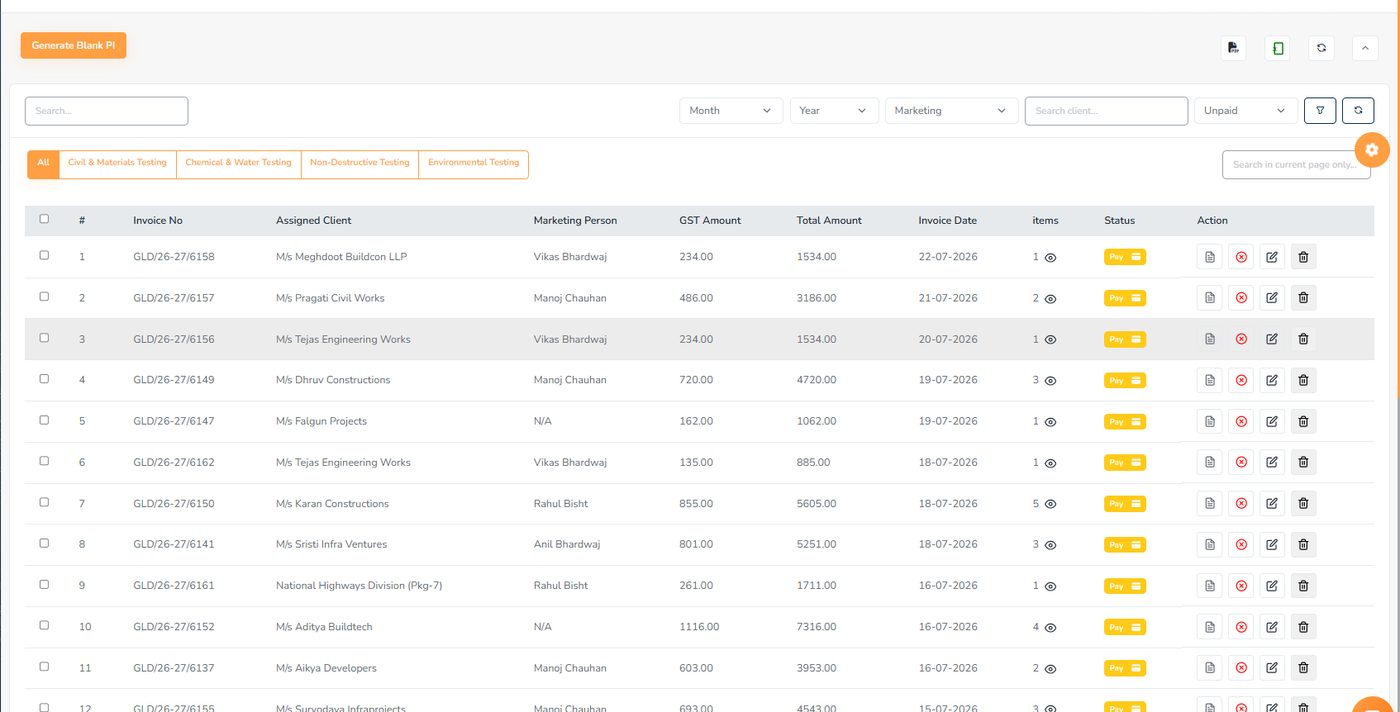
Newest first. The Items column shows how many samples are on the letter, and the eye icon lists them. Green generates the invoice, yellow converts the letter to a cash (without bill) collection.

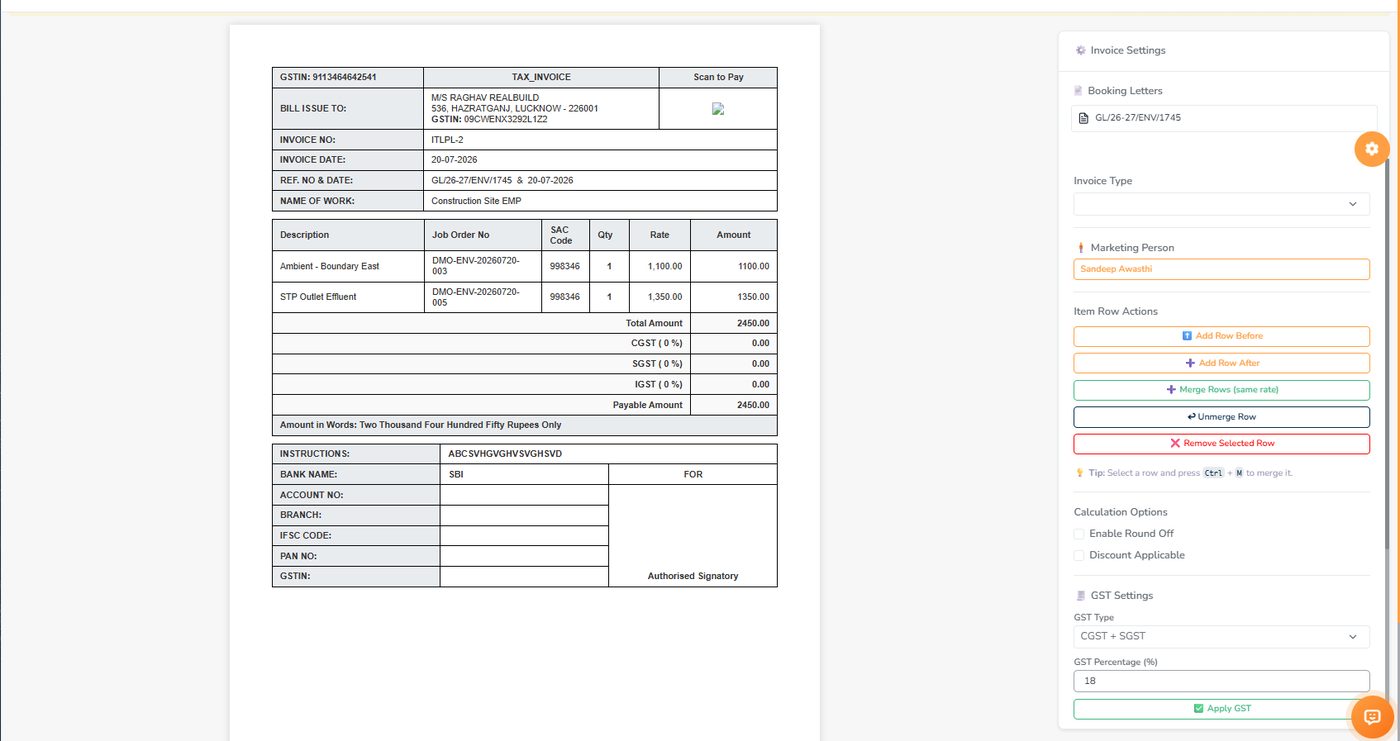
The left side is the invoice — GSTIN, Bill Issue To, the item table with SAC codes, the totals. The right panel controls it: invoice type, marketing person, add / merge / unmerge / remove rows, round-off and discount, and the GST settings.

Filtered here to unpaid. The status is also a button — "Pay" opens the payment form for that bill. GST and total are separate columns, and the items count lists the job orders behind the bill.

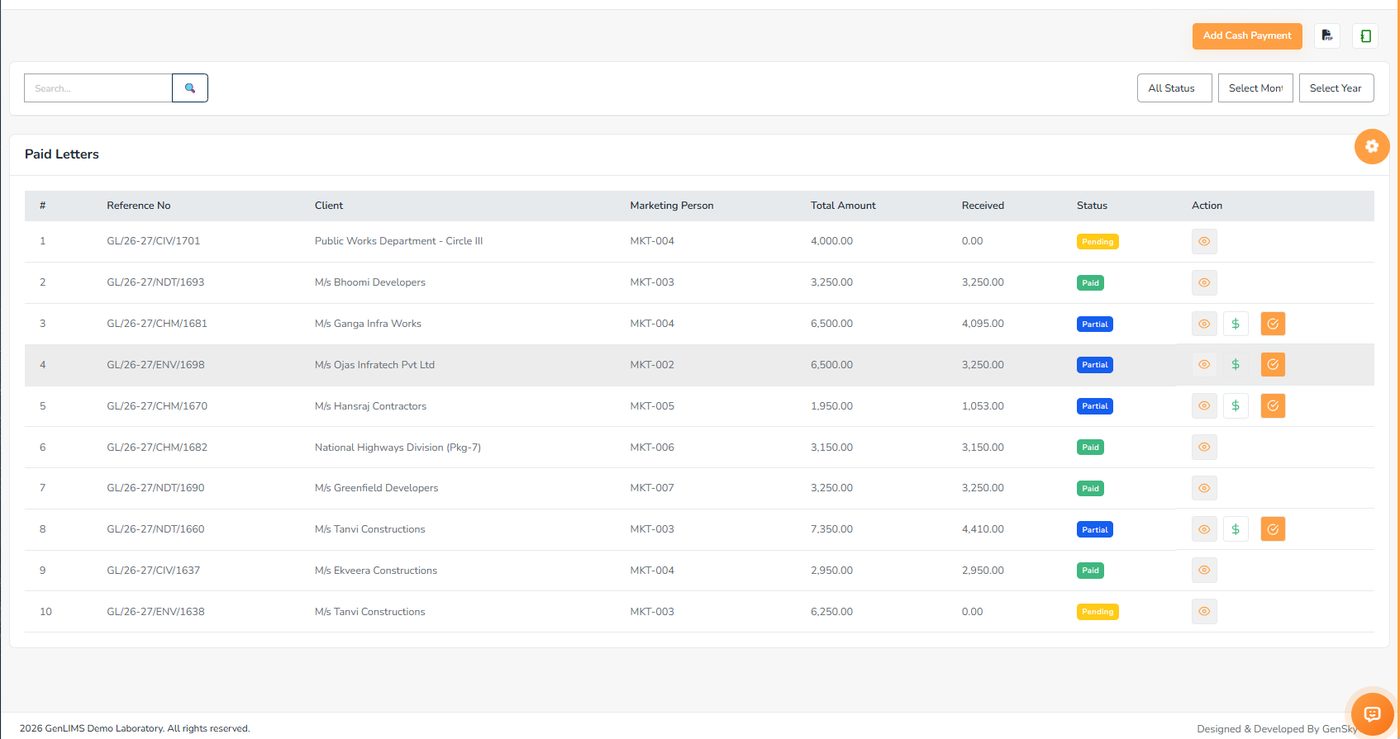
Some letters are settled in cash without an invoice. Cash Letter lists the ones waiting for money; Paid Letters tracks them through Pending, Partial, Paid and Settled, with a further part payment or a settlement one click away.

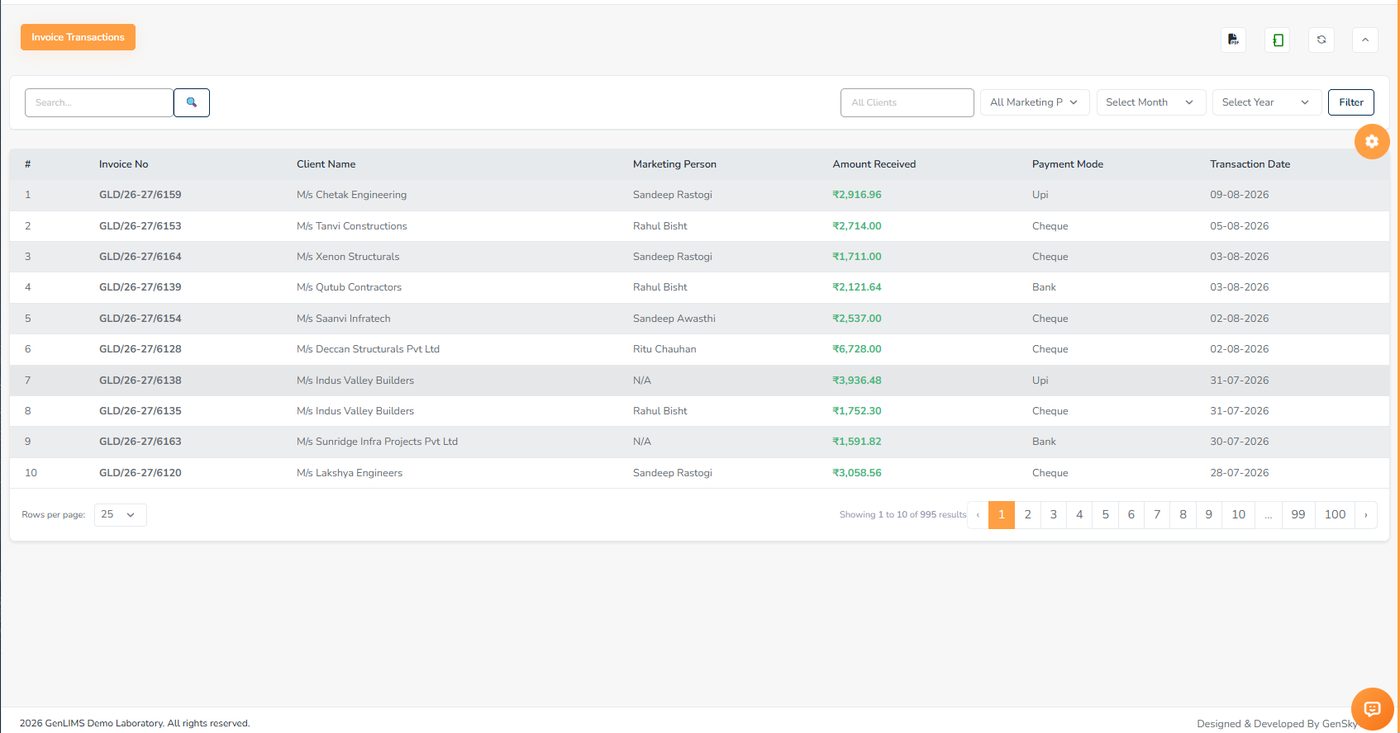
One row per payment with the mode and the date. Filters narrow by client, marketing person, month and year, and the PDF and Excel exports carry those filters into the file.

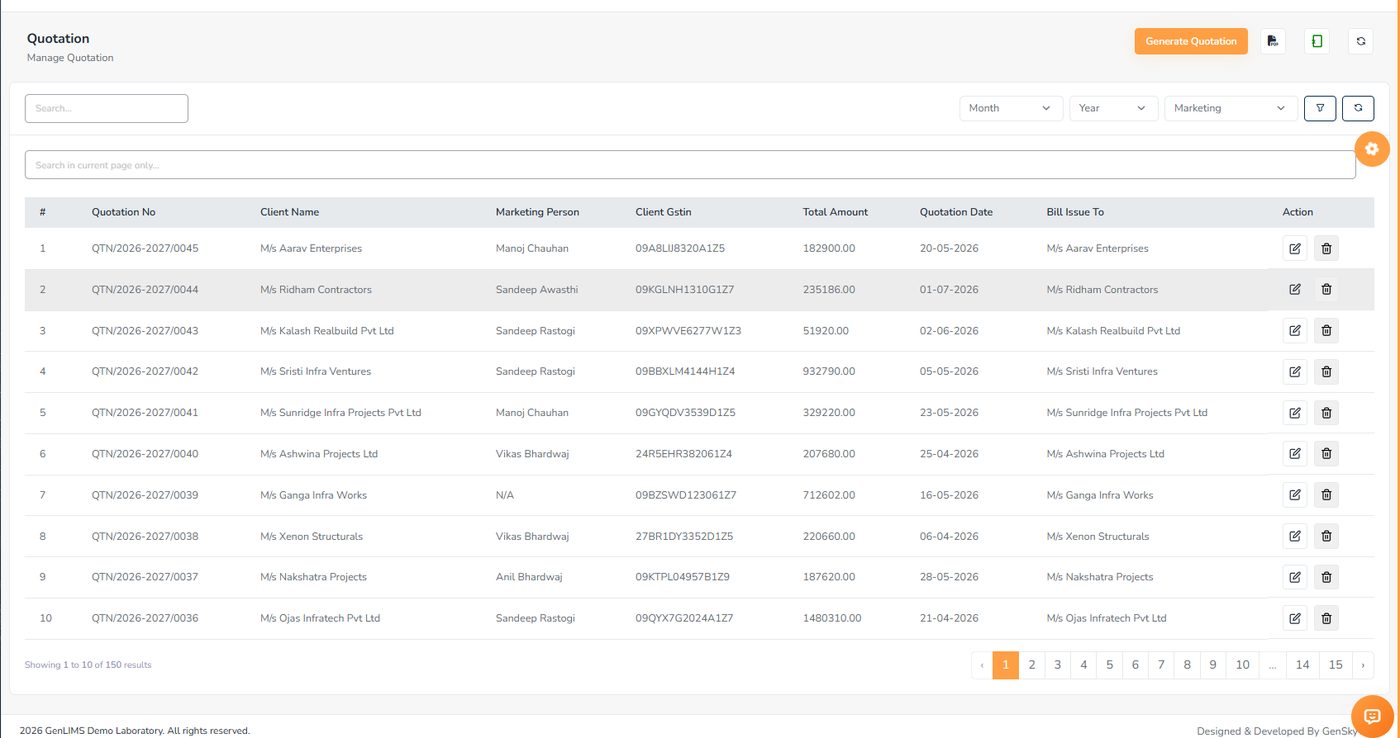
Pick the tests, and the rates, methods and durations come from the Product Bank. The marketing person is recorded on every quotation; it prints on your letterhead with your bank details and terms, and can be written from the phone.

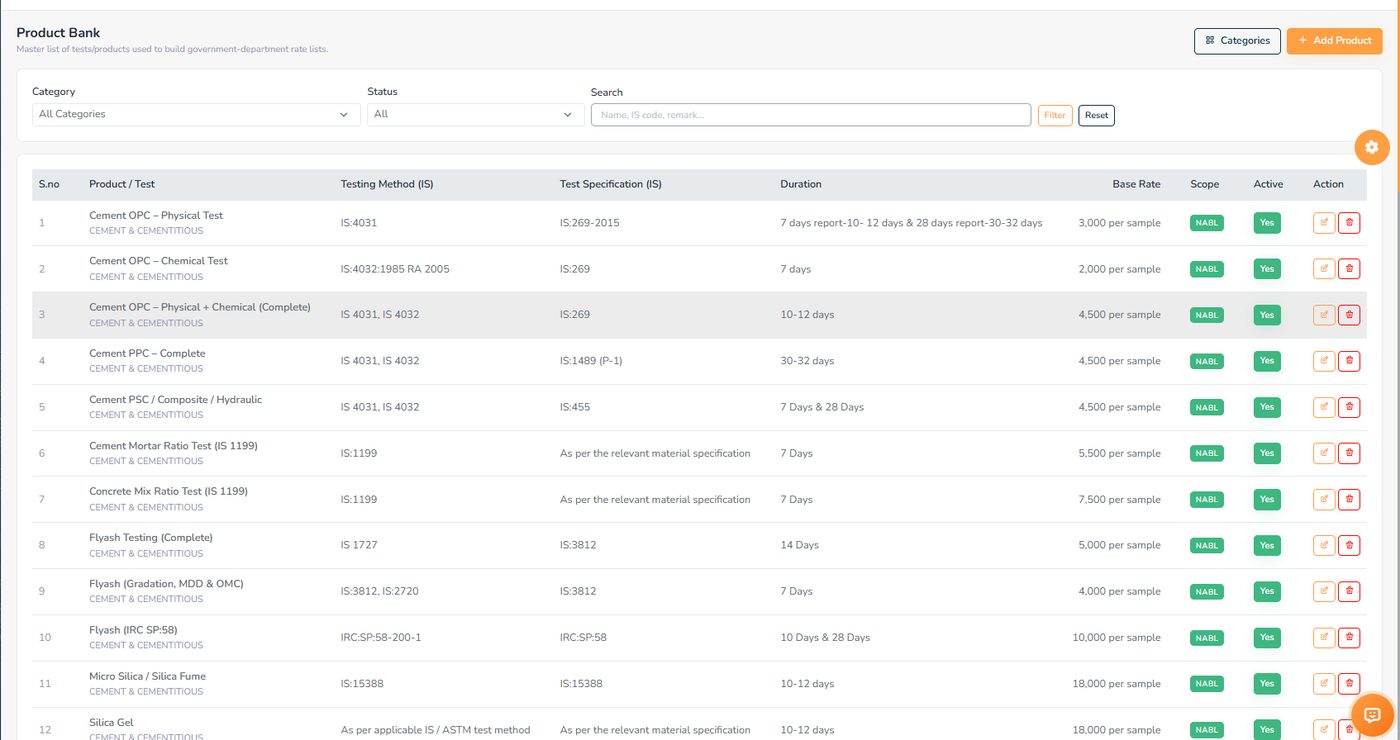
Each test carries its testing method (IS), its specification, a duration, a base rate and a scope badge — the green NABL badge marks a test as inside the accredited scope. The Active switch retires a test without deleting it.

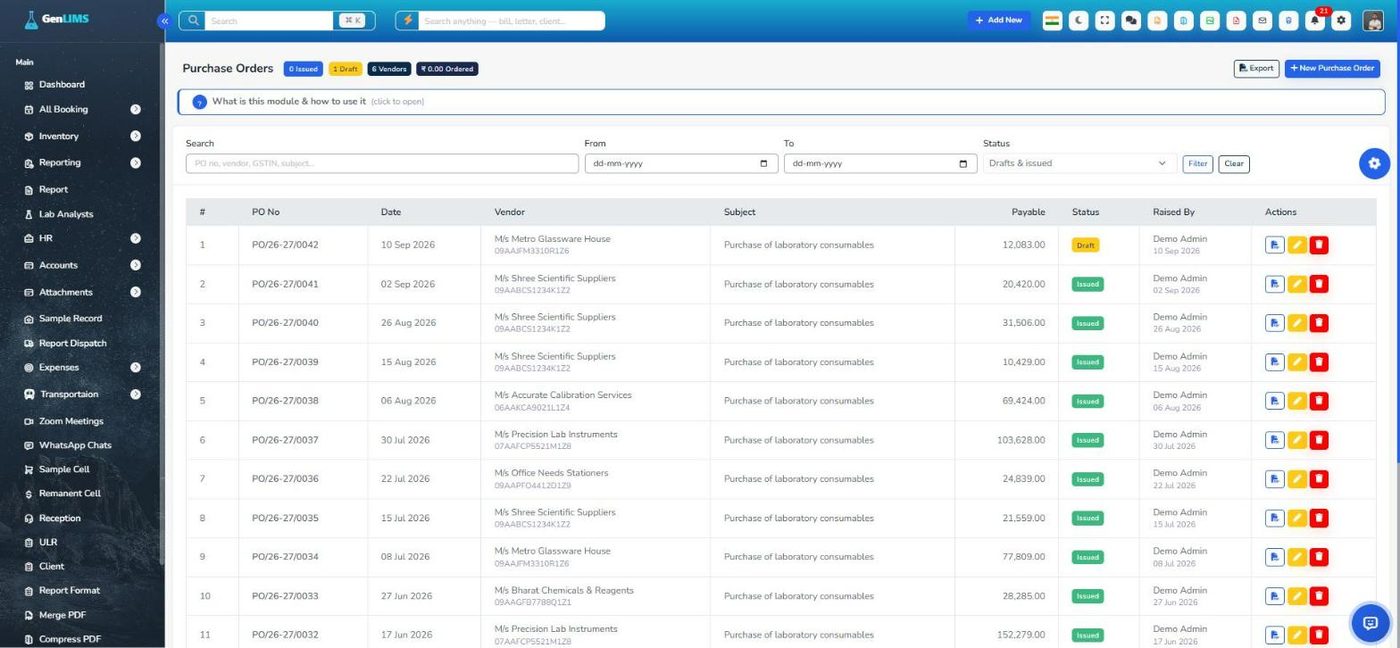
The same form as a quotation, turned the other way: your vendor, your items, your terms, printed on your letterhead. Its own number series (PO/26-27/0001), drafts until issued, and a change log on every order.

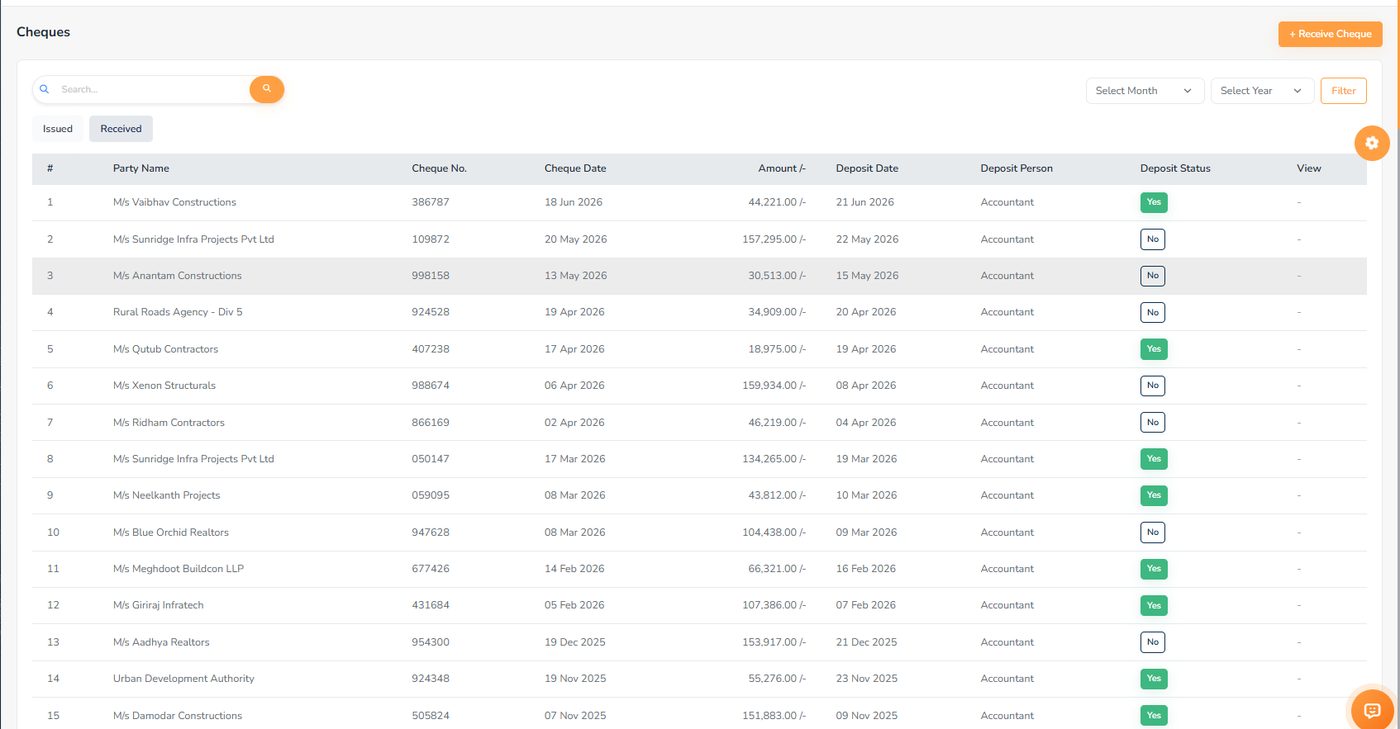
Issued cheques record the bank, payee, purpose and who they were handed to, and print on that bank's saved template. Received cheques carry the deposit date, who deposited them and a status you flip when the cheque actually goes to the bank.

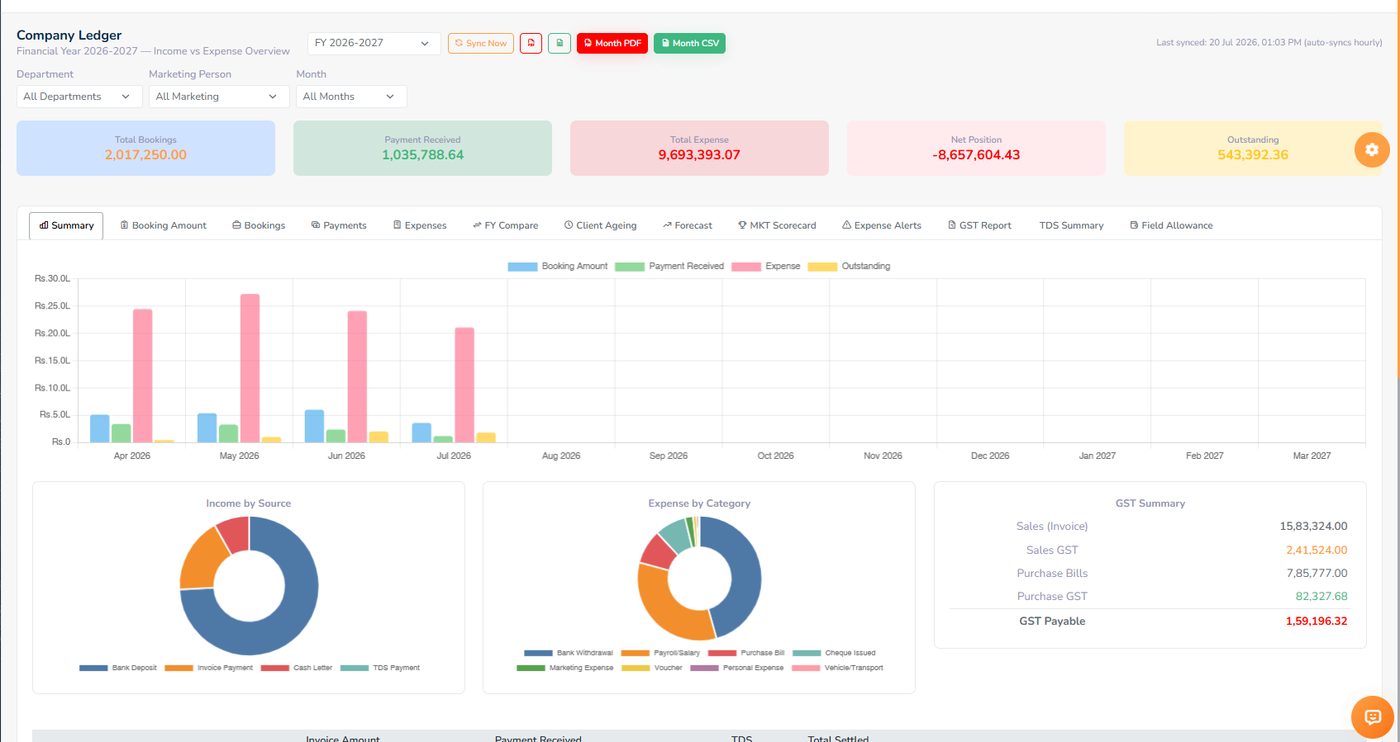
Five cards, a month-by-month chart, income by source, expense by category and a GST summary. Click a month to see its invoices; click an invoice to see the letters and job orders behind it — four levels down without leaving the ledger.

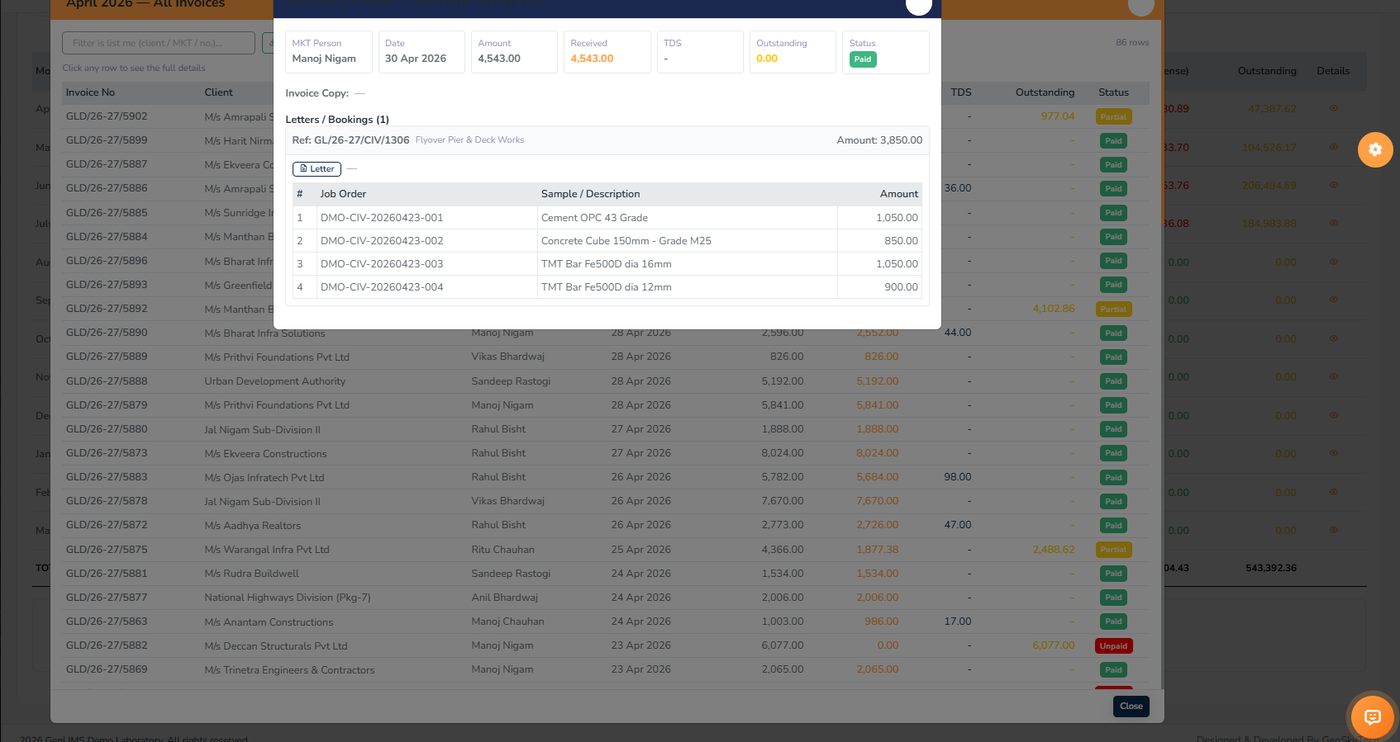
One invoice row opened to its letters and bookings, and every job order on them with its amount. This is the answer to a client's query without a phone call to the lab.

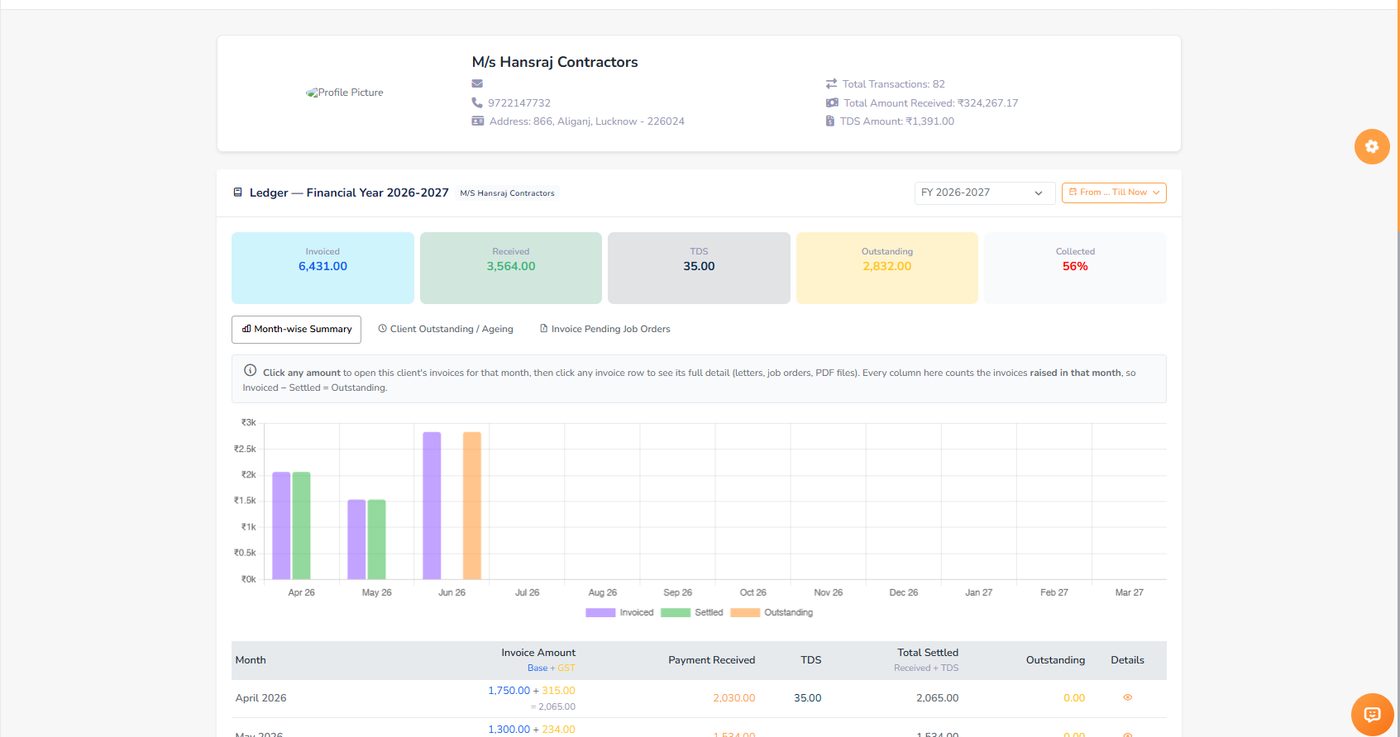
Sorted by most pending, so the client who owes the most is on top; the grand total is the lab's receivable. One client's page shows invoiced, received, TDS, outstanding and the collected percentage — month by month.

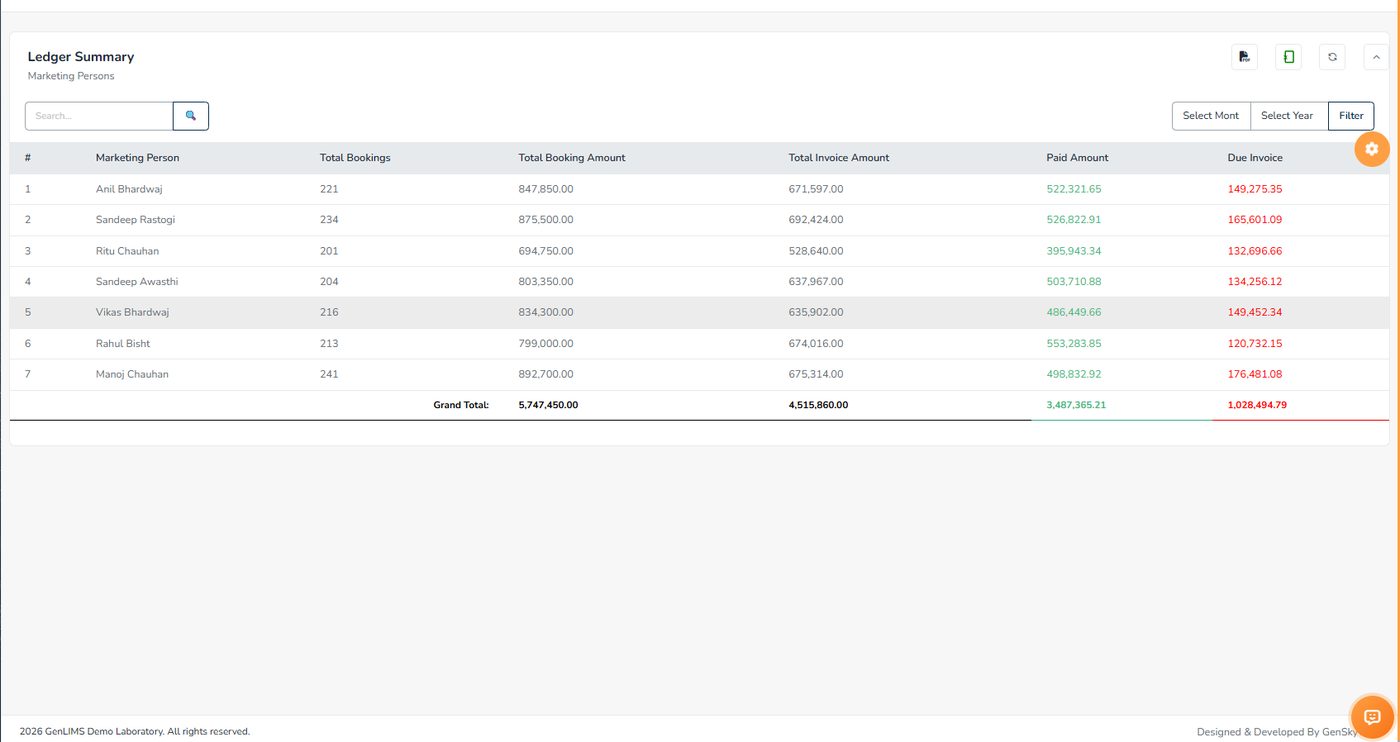
Bookings, booking amount, invoiced, paid and due — per person, with a grand total. Collected and due side by side is a fairer answer than bookings alone. The View Expenses button jumps to that person's claims.

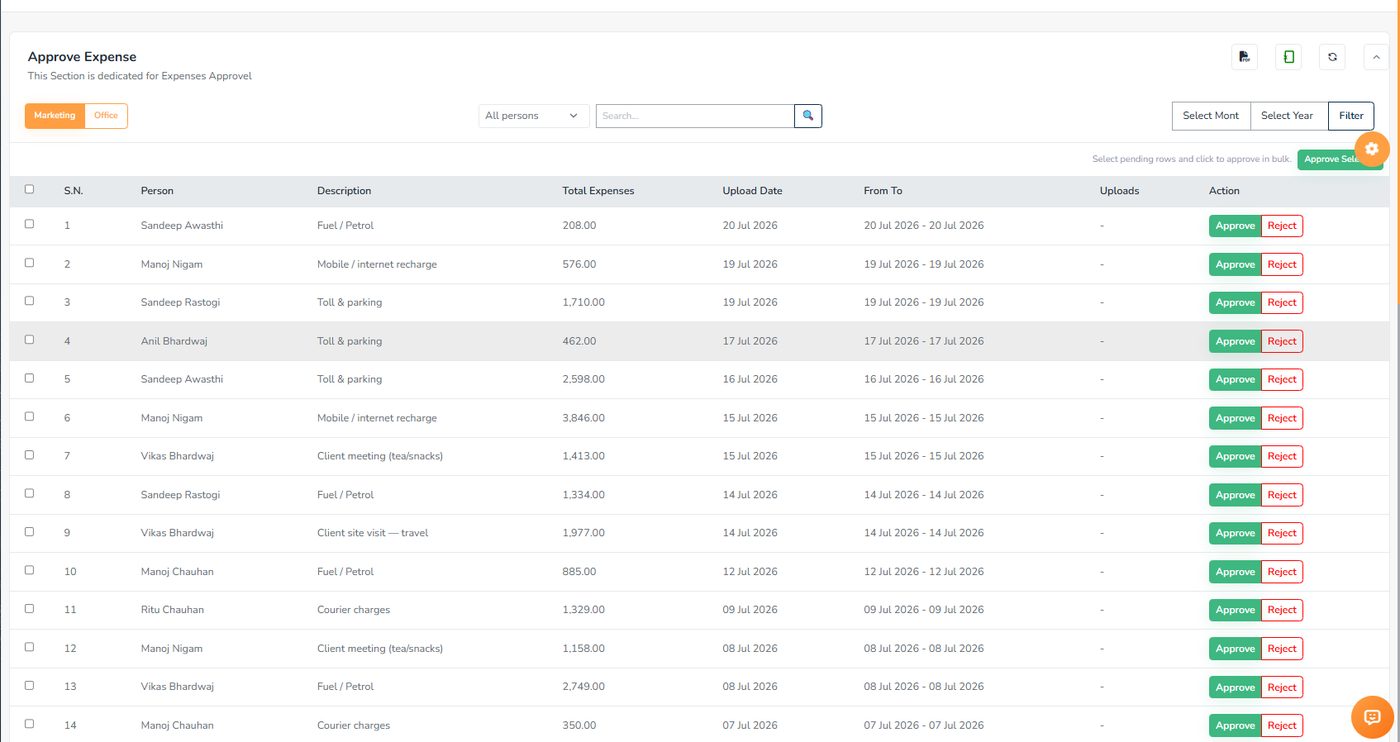
Two tabs — marketing and office. Each row shows who spent it, on what, how much and when, with the bill photograph. Approve or reject per row, or select the pending rows and approve them together. Cleared claims go to accounts as one PDF per person.

The same system that runs the lab runs the team. No separate HR software, and the attendance that feeds payroll comes from the biometric machine.
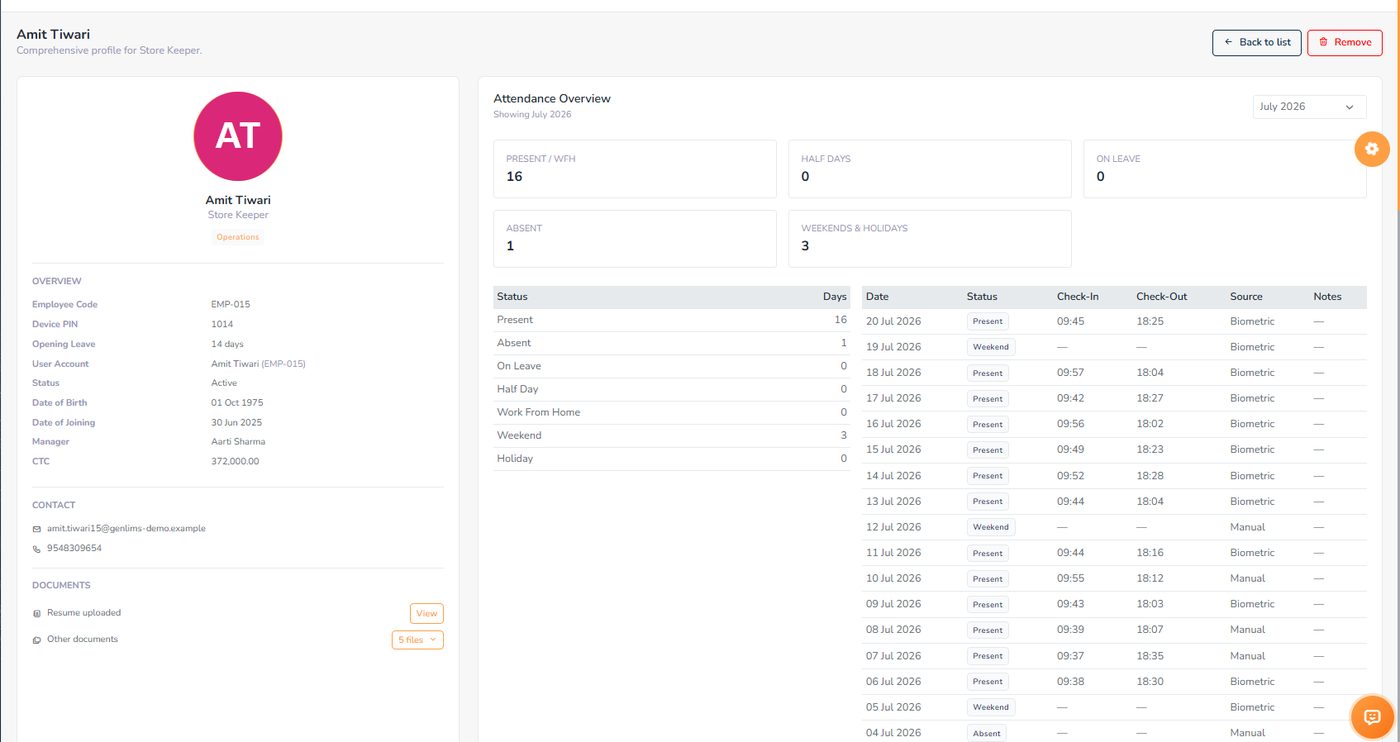
Designation, department, contact details, joining date, a 2FA badge and an active / probation status on each card. The profile behind it holds the documents — offer letter, ID proofs, certificates — and the attendance overview for the month.

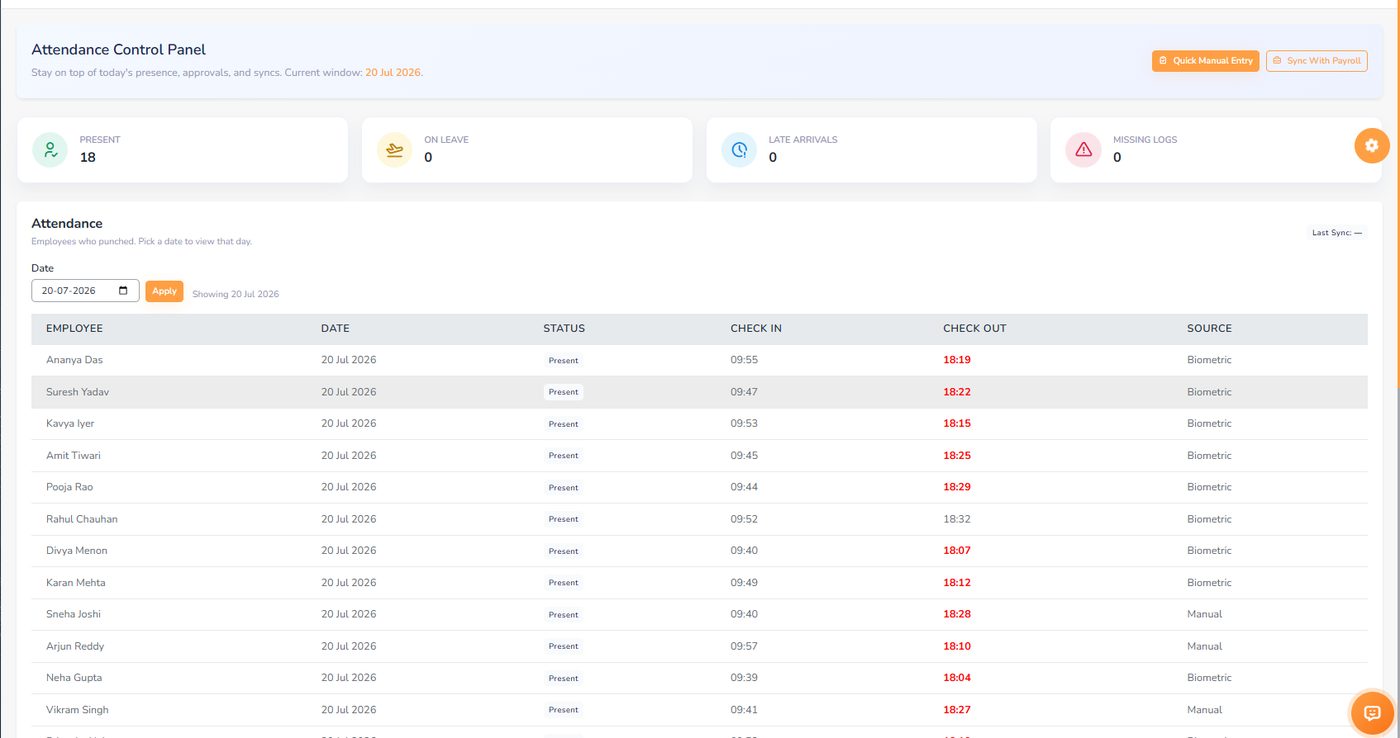
Present, on leave, late arrivals and missing logs at the top. Below, the day's check-in and check-out times — red where the check-out is before your cut-off — and a Source column that says whether each punch came from the biometric device or was entered by hand.

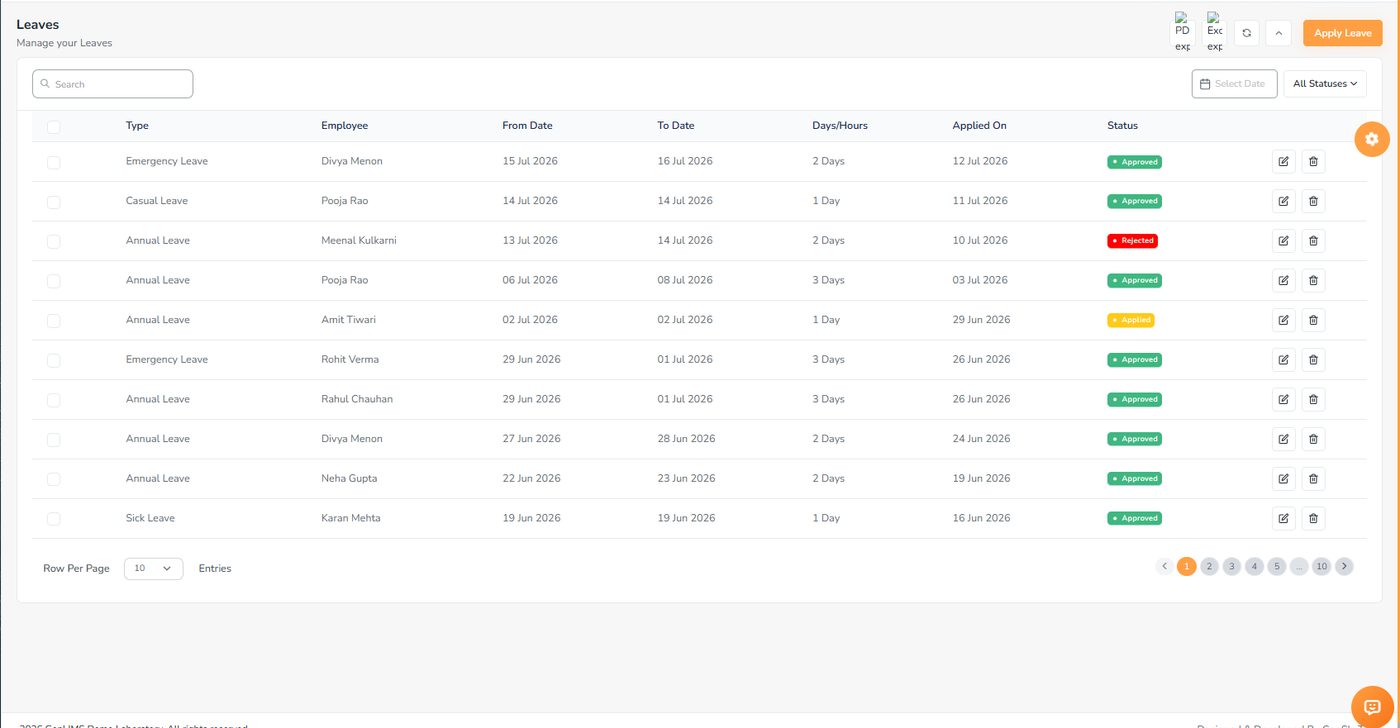
Type, employee, dates, days and when it was applied, with a colour-coded status. Staff apply from the panel or the phone; the approver acts on the same row. Approved leave lands in the payroll deduction automatically.

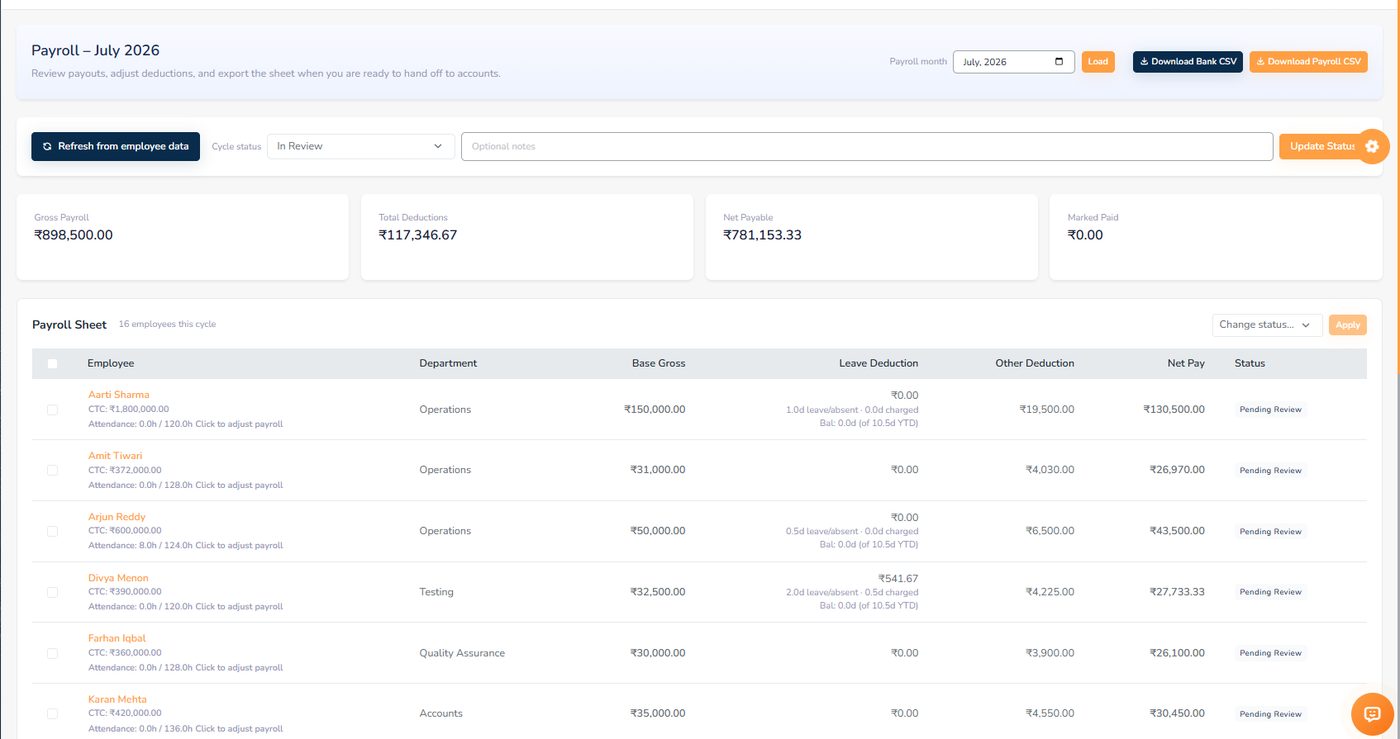
Gross, deductions, net payable and what has been marked paid. Each employee shows CTC and attendance hours, and the leave deduction column explains itself — "2.0 days leave, 0.5 charged, balance 0 of 10.5". The cycle moves from draft to approved to paid, and the bank transfer file downloads from here.

What the marketing team does at the client's site, what the lab keeps on file, and the small tools that save a trip to another website.
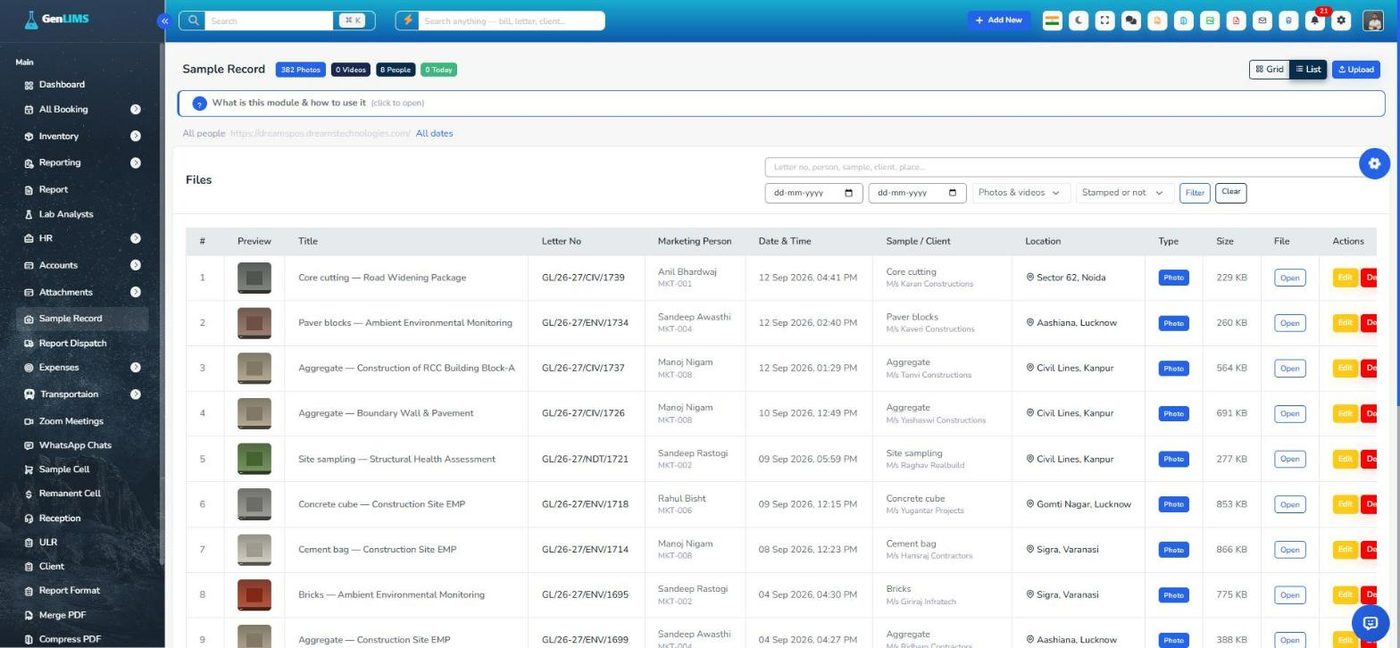
A marketing person photographs the samples at the client's site from the app. Each picture is stamped with the date, time and place, and filed under that person, that day and the letter it belongs to — so the lab knows what arrived from where before the sample does.

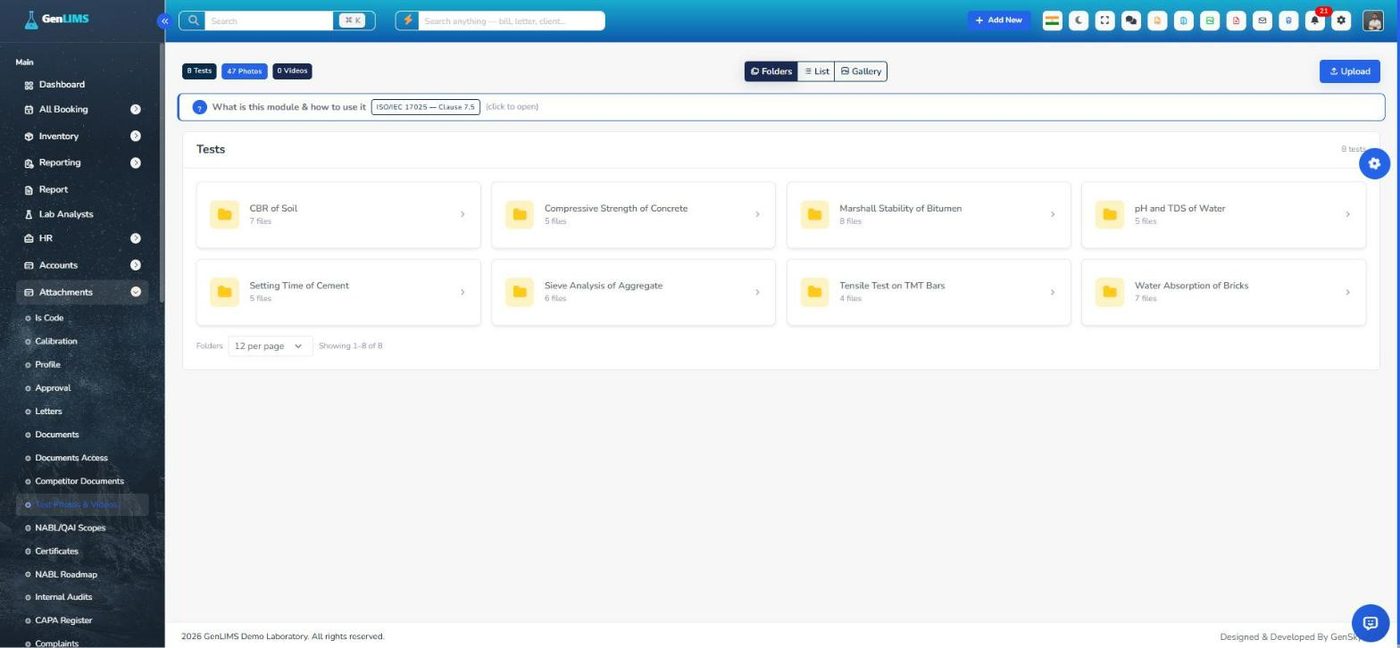
Photographs and videos of the testing, kept beside the paperwork and grouped by test. A client meeting can show the cube being crushed, not only the number on the report.

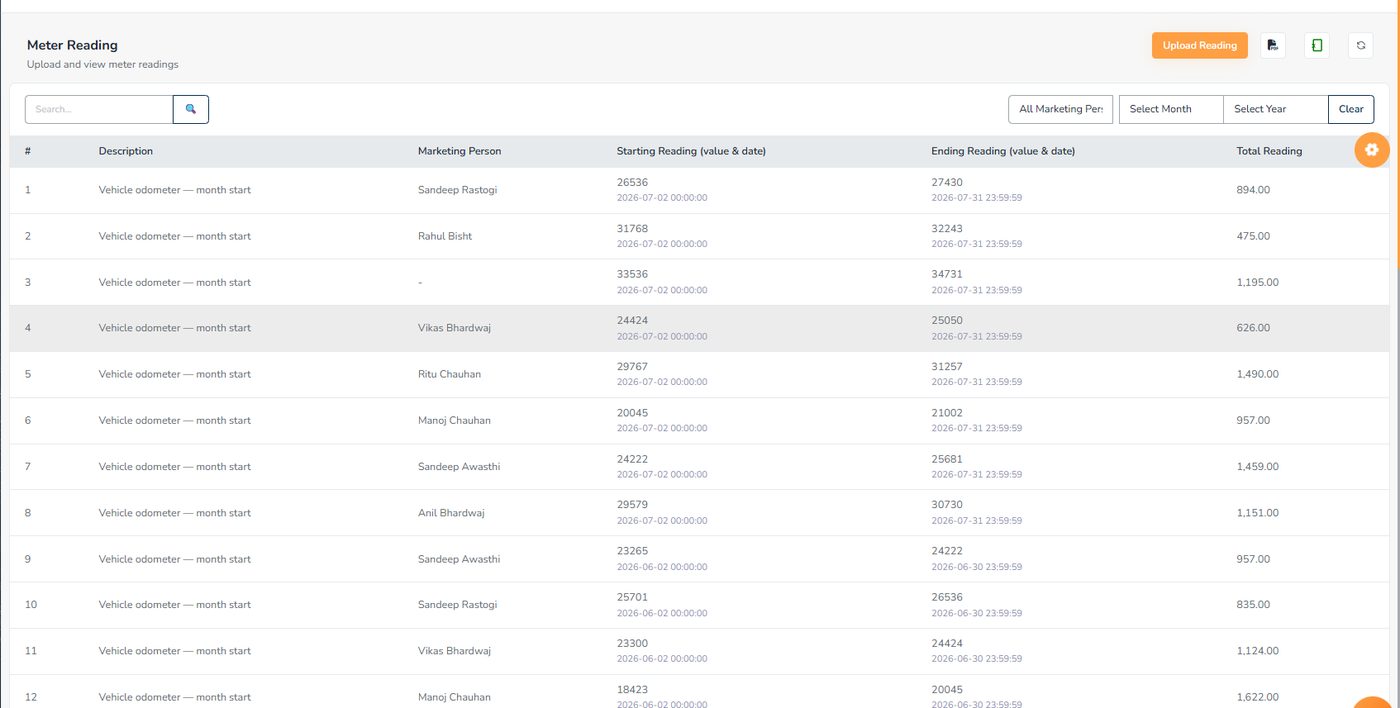
Start and end readings side by side with the distance worked out, and a photograph of the meter at each end. Vehicle Registration holds the RC, insurance and PUC with expiry colours, the service history and a fuel register that gives the cost per kilometre.

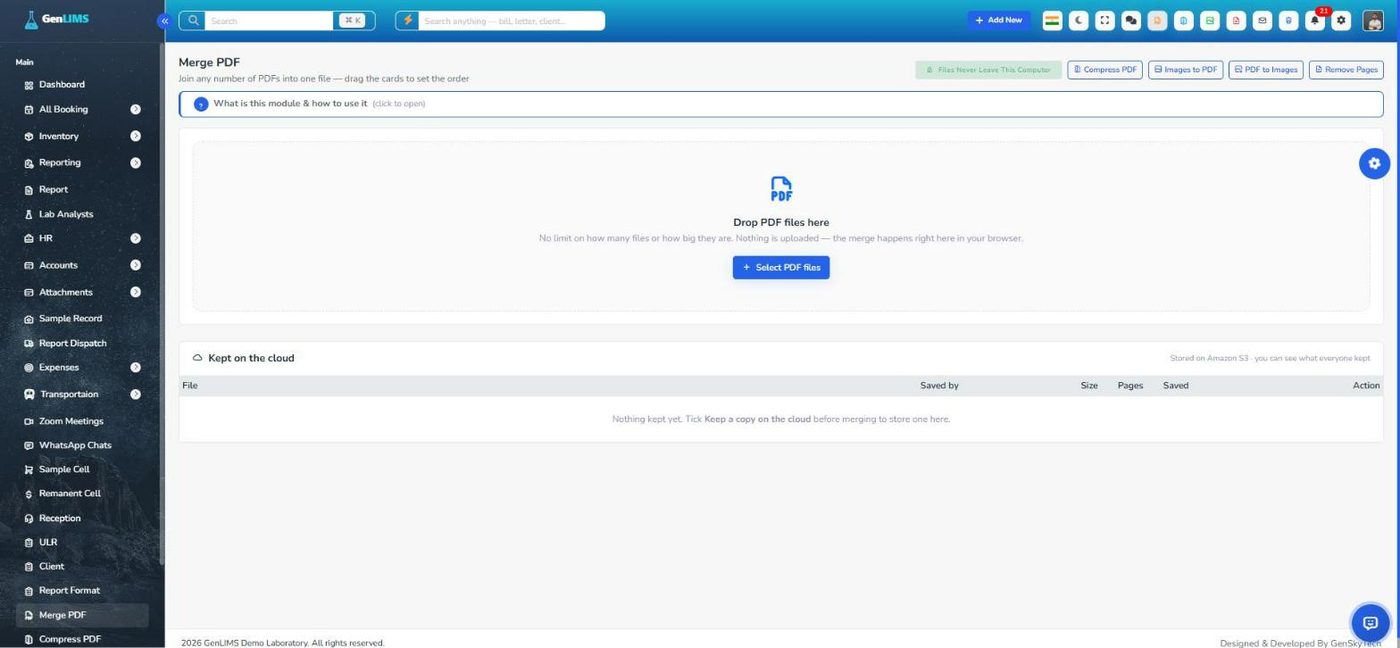
Merge, compress, images to PDF, PDF to images and remove pages — all done in the browser, so there is no size limit and the file never leaves the computer. Tick "keep a copy on the cloud" when the lab wants the result on record.

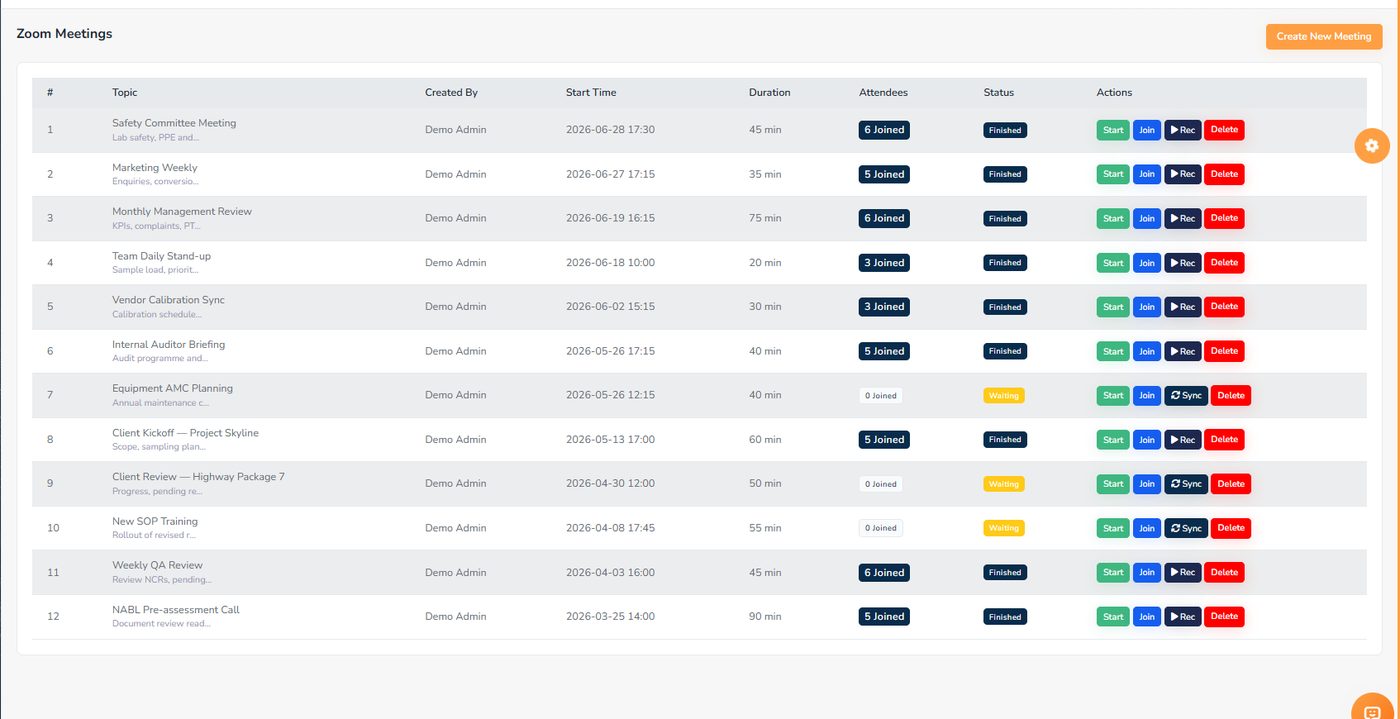
Topic, agenda, who created it, when it starts and who joined. Start for the host, Join for everyone else, then Sync to pull the cloud recording and watch it from the same row. Attendance is captured from Zoom.

Every register ISO/IEC 17025:2017 expects, as a screen with a record count, a short built-in guide and PDF/Excel export. The week before an assessment looks like any other week.
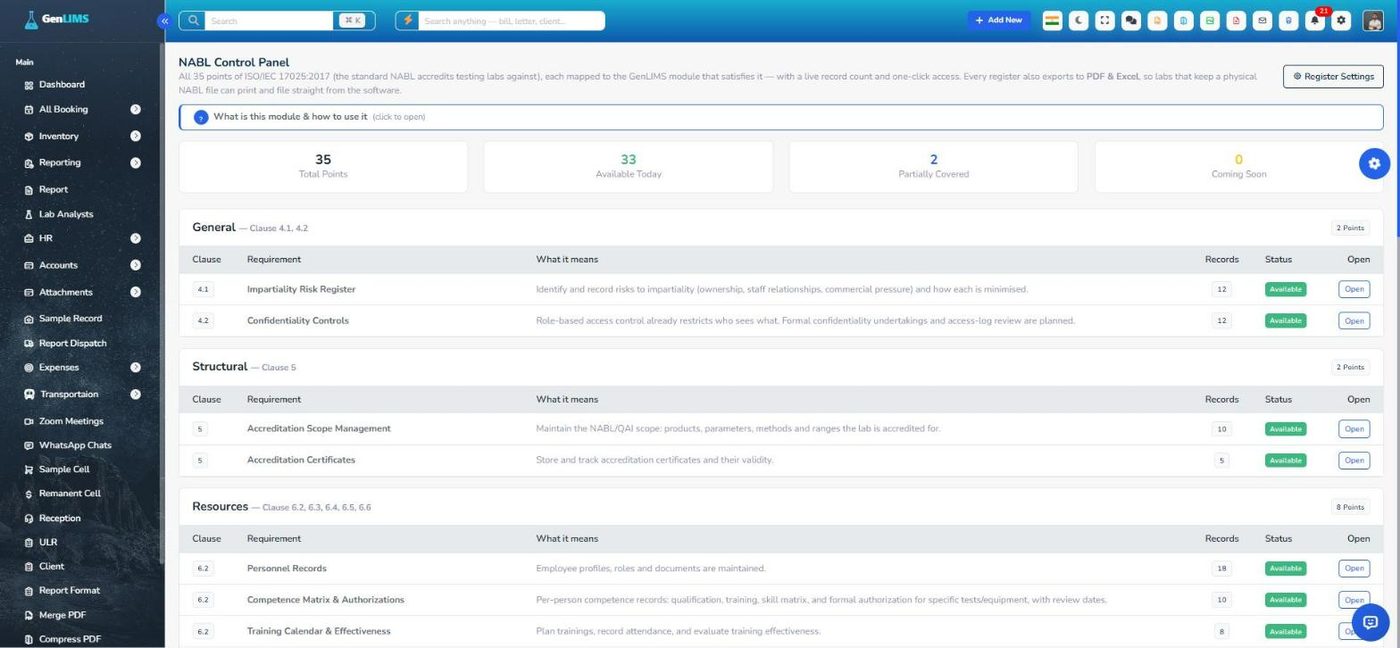
Each clause of the standard mapped to the GenLIMS screen that satisfies it, with how many records that screen holds today. Everything an assessor asks for opens from this one page.

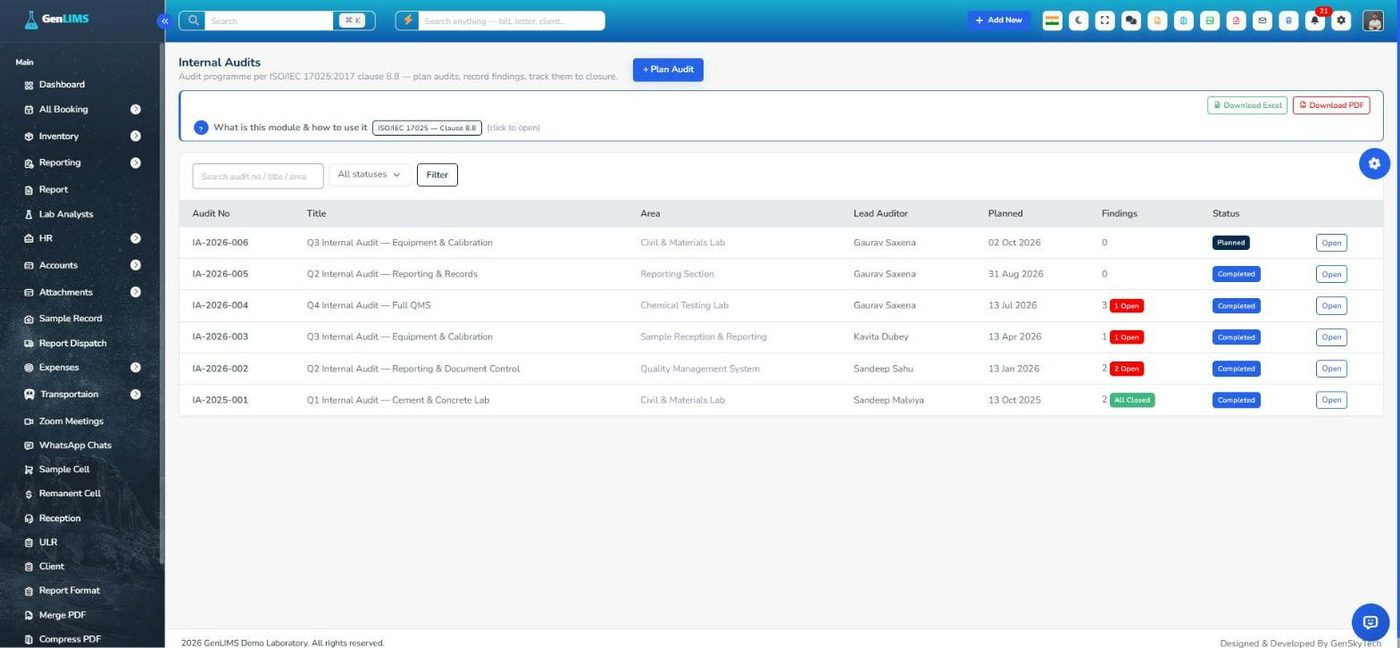
Plan the audit, record the findings, raise a CAPA from a finding, and close it when the correction is verified. The same pattern runs CAPA, complaints, management reviews, risk, PT/ILC, competence, equipment and calibration, environment, QC, method validation, sampling and the rest.

Who can see what, and the lab's own identity on everything.
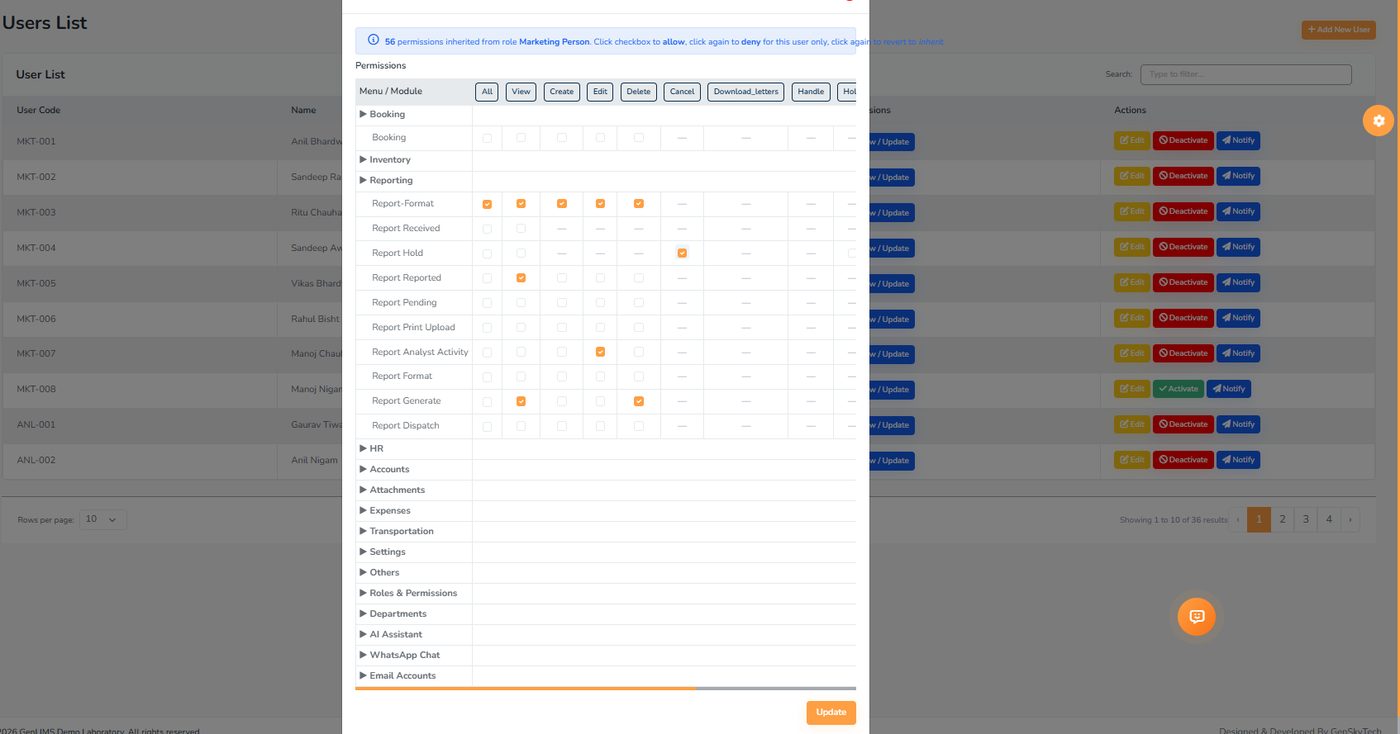
Each user inherits a role's permissions. The grid then lets you allow or deny any single screen for that one person — three states per cell — without inventing a new role. Office-network-only login, two-factor codes on WhatsApp, and a log of every sign-in sit alongside.

Open the demo and click through every page above. Or register, and a trial installation is set up with your logo, your tests and your report formats.